
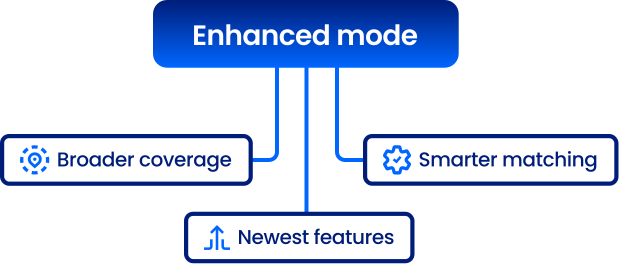
Enhanced mode
Get broader coverage, smarter matching, and access to Smarty’s newest capabilities—without changing how you integrate. Enhanced mode includes everything you already get in strict/invalid, and more.







Broader coverage
Match against USPS data plus 20 million legitimate non-USPS (non-postal) addresses.
Smarter matching
Use Smarty’s fuzzy-match, AI-enhanced, best-fit algorithms to find the best candidate more intelligently.
Future-ready features
Enhanced mode is required for new Smarty features—like address component analysis—and for what’s coming next.
Breaking down enhanced mode
Enhanced mode is a match setting that returns detailed output using a more intelligent matching mechanism and a more comprehensive dataset than postal-only matching—so you can validate more real-world addresses with higher confidence.
Strict
Returns detailed output only when a valid match is found. Otherwise, the response is empty.
Invalid
Returns detailed output for both valid and invalid addresses; validity is determined using
Enhanced
Returns detailed output using enhanced matching and expanded coverage, including 20 million non-USPS addresses.
Returns detailed output only when a valid match is found. Otherwise, the response is empty.
Invalid
Returns detailed output for both valid and invalid addresses; validity is determined using
dpv_match_code (Y, S, or D indicates valid).Enhanced
Returns detailed output using enhanced matching and expanded coverage, including 20 million non-USPS addresses.
Enhanced mode is where Smarty is building future capabilities and new features. If you stay on strict/invalid, you’re choosing the baseline experience and skipping newer improvements.
Put another way: strict and invalid modes still work, but enhanced mode is how you future-proof your integration.
Put another way: strict and invalid modes still work, but enhanced mode is how you future-proof your integration.
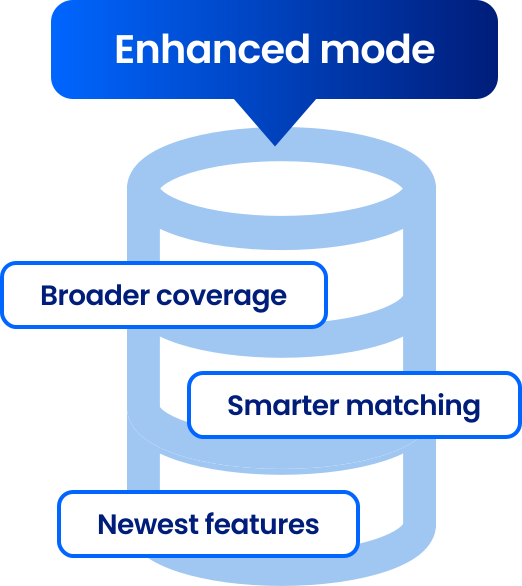
Enhanced mode includes everything strict/invalid provides, plus:
- Access to 20 million legitimate non-USPS addresses
- Smarter matching with fuzzy-match, AI-enhanced, best-fit algorithms
- Support for address component analysis (required)
- Compatibility with future Smarty features (required)
- Turn on enhanced matching
It’s one parameter change:match=enhanced - Opt into the features you want (when you’re ready)
Enhanced mode unlocks access, but features remain opt-in via feature flags—so new capabilities can roll out without breaking your integration.
Enhanced mode is available only in Smarty’s Core Edition. If you’re on the Legacy Edition, you’ll continue to receive USPS-only results and won’t have access to enhanced matching or new features.
If you’ve been considering upgrading to Core, now is a great time to do it.
If you’ve been considering upgrading to Core, now is a great time to do it.
FAQ
If you’re already on Smarty’s Core Edition, switching to enhanced mode doesn’t cost extra.
If you’re on the Legacy Edition, you’ll need to upgrade to Core to use enhanced mode. Contact sales.
If you’re on the Legacy Edition, you’ll need to upgrade to Core to use enhanced mode. Contact sales.
Yes. You can switch back and forth between strict, invalid, and enhanced at any time by updating the
match parameter; you’re not locked in.Nope. It’s literally one parameter:
match=enhanced.You can, but you’ll miss out on new capabilities that require enhanced mode (like address component analysis) and future feature releases built on enhanced mode.
Nope. You’re all set.
More FAQ
Select a category to see more information about a certain topic.