

How to reduce cart abandonment with address autocomplete and validation
Want one of the fastest ways to reduce cart abandonment? Start with your checkout form.
If you’re asking customers to manually enter their address, you’re adding friction and increasing the chances of bad data entering your system.
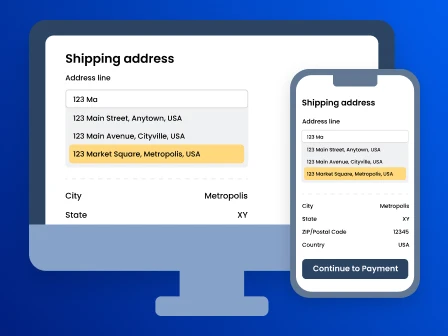
Address autocomplete helps reduce both cart and checkout abandonment by suggesting accurate addresses in a dropdown as customers type. This makes the checkout process faster and easier to complete.
Address validation takes it a step further by keeping the data you collect accurate, complete, and up to date.
These two solutions work best together to reduce cart abandonment and checkout abandonment as well as:
- Minimize failed deliveries
- Prevent errors caused by incorrect address data
- Boost customer experience, loyalty, and satisfaction
- Streamline shipping, warehouse, and inventory operations
- Reduce returns and undeliverables
Use Smarty’s autocomplete APIs or JavaScript plugin, along with address verification, to reduce cart abandonment and improve customer experience and loyalty.
Ready to learn how to reduce shopping cart abandonment? In this article, we’ll cover:
- What is cart abandonment (and why it matters)
- Top reasons shoppers abandon carts at checkout
- How address quality impacts cart and checkout abandonment
- Using address autocomplete to reduce cart abandonment
- Implementing Smarty address autocomplete API or JS plugin
- Developer checklist: ecommerce checkout optimization beyond autocomplete
- Recovering abandoned carts with better data
- Building your cart abandonment strategy
- FAQ
What is cart abandonment (and why it matters)
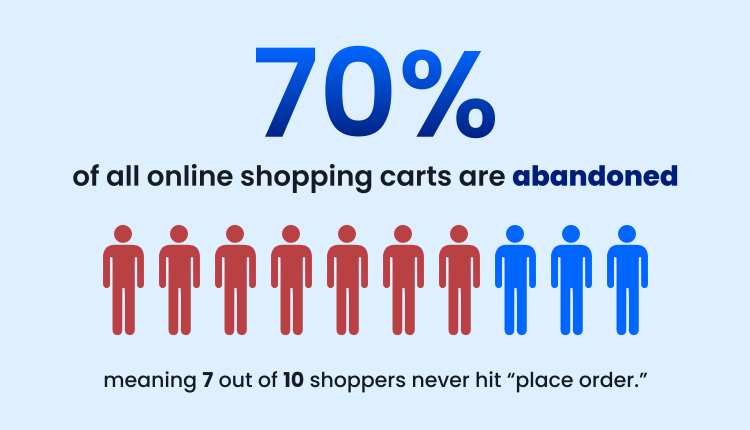
On average, 70% of all online shopping carts are abandoned, meaning 7 out of 10 shoppers bail on hitting “place order.” That’s a lot of lost revenue.
These customers showed clear intent. They added items to their cart, but something stopped them from completing the purchase.
Before we break down what could be happening between “add to cart” and leaving your site entirely, let’s define cart abandonment and checkout abandonment.
Definition of shopping cart abandonment and checkout abandonment
Cart abandonment occurs when a customer adds items to their cart but never moves to checkout. Checkout abandonment is when your customer begins filling out checkout forms but leaves before actually completing a purchase.
Understanding the difference is important, but knowing how much it’s costing you helps you focus on the changes you can make that will have the biggest impact.
How to calculate your cart abandonment rate
How much is cart abandonment actually costing you?
Exactly how much you could lose depends on a few key factors:
- Monthly visitors
- Conversion rate
- Average order value
- Annual order volume
Add those numbers into the calculator below to get a quick sense of what you might be leaving on the table.
Once you have a sense of what cart abandonment is costing you, the next step is understanding how your numbers compare.
Average cart abandonment statistics by industry
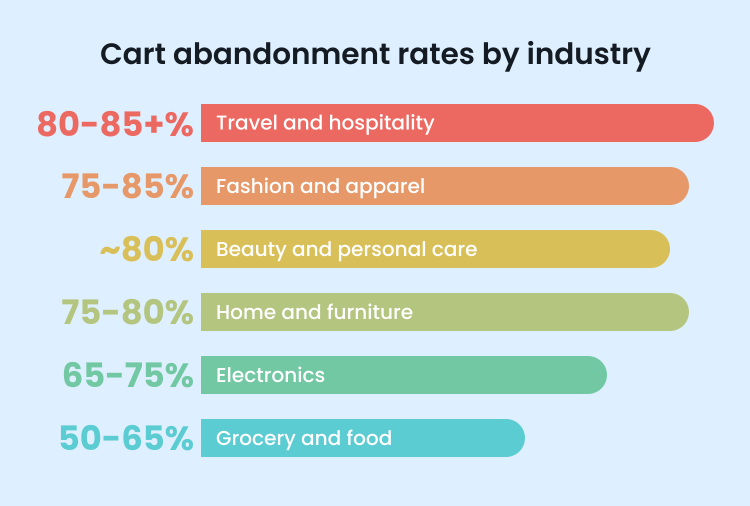
SellersCommerce (opens in new tab) reports that cart abandonment rates typically fall between 60% and 80%, depending on what you sell and how customers shop.
Here’s how they tend to vary by industry:
- Travel and hospitality: often 80% to 85% or higher
- Fashion and apparel: roughly 75% to 85%
- Beauty and personal care: around 80%
- Home and furniture: about 75% to 80%
- Electronics: roughly 65% to 75%
- Grocery and food: closer to 50% to 65%
A lot of these averages come down to how people make buying decisions. Higher-priced or more complex purchases, like booking a cruise or buying a new appliance, tend to see a higher cart abandonment rate. Customers take their time, compare options, and often wait before committing.
On the other hand, everyday items like groceries or beauty products are usually quicker, more impulse-driven decisions, so fewer people abandon their carts.
Some level of cart abandonment is expected. When you understand where friction shows up in your customer journey, you can make targeted improvements that help more shoppers complete their purchases.
Top reasons shoppers abandon carts at checkout
When a customer adds an item to their cart, you want to do everything you can to get them across the finish line.
That said, not every abandoned cart is something you can fix. In fact, 43% of US shoppers (opens in new tab) say they leave because they’re just browsing or not ready to buy.
But that still leaves a large portion of checkout abandonment within your control.
Baymard Institute (opens in new tab) found that when shoppers are ready to buy, they tend to drop off for reasons tied to the checkout process and overall customer journey. Here’s the breakdown:
- 39%: Extra costs too high (shipping, tax, fees)
- 21%: Delivery was too slow
- 19%: Didn’t trust the site with payment information (site didn't feel secure)
- 19%: Forced account registration
- 18%: Checkout process was too long or complicated
- 15%: Return policies weren't satisfactory
- 15%: Website errors or crashes
- 14%: Couldn’t see total cost upfront (hidden shipping costs and/or shipping fees)
- 10%: Not enough payment methods or payment options
- 8%: The payment method (credit card) was declined
When you look at this list, you notice a lot of these issues come down to the checkout experience itself.
Friction in the checkout flow (too many fields, slow forms)
A lot of issues in the checkout process come down to one thing: friction.
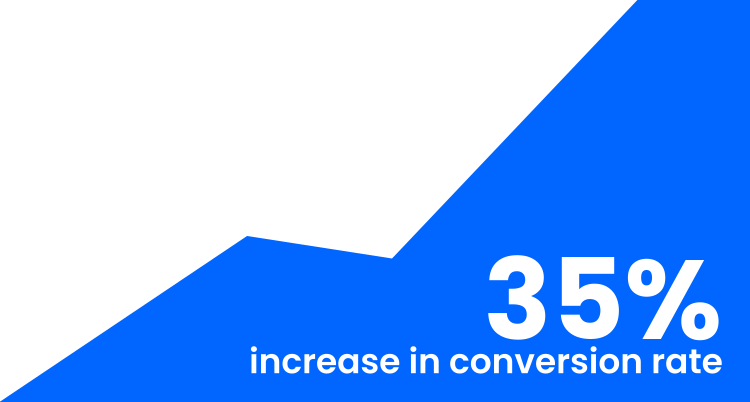
Even a little friction adds up quickly. Research from Baymard Institute shows the average ecommerce site could see a 35% increase in conversion rate (opens in new tab) just by improving checkout usability!
The tricky part is that it’s rarely just one thing. It’s the overall feeling that checkout is taking longer or requiring more effort than it should.
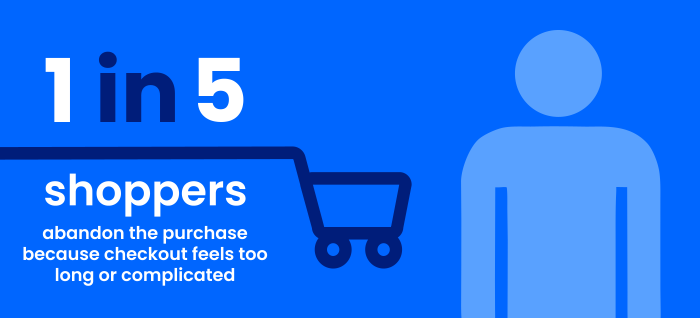
A big driver of this is complexity. Nearly 1 in 5 shoppers (opens in new tab) abandon their purchase because checkout feels too long or complicated.
It’s noticeable on a desktop, but even more frustrating for mobile shoppers, where typing is harder. Mobile check-out cart abandonment rates can reach 85–86% (opens in new tab)!
Part of the problem is the number of fields customers are asked to complete. The average US checkout still includes around 23 form elements, even though studies show you can reduce that by 20–60% (opens in new tab) without losing essential information.
All of those extra fields create drag. They slow customers down and increase the chances of mistakes.
This is especially true when it comes to entering an address. It’s one of the most time-consuming parts of checkout and one of the easiest places for errors to happen, even though it requires accuracy at the exact moment your customer just wants to finish.
And address entry isn’t the only place where friction shows up. It also plays a key role in what your customer sees next.
Surprise costs, shipping, and taxes
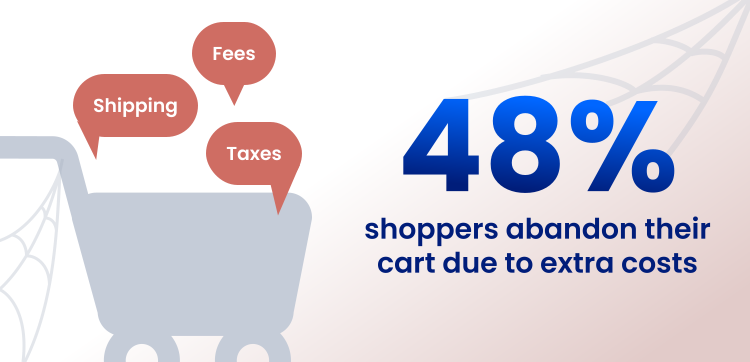
For many shoppers, the biggest source of friction is the final price. The Baymard Institute found that extra costs like shipping, taxes, and fees cause about 48% of shoppers (opens in new tab) to leave, with some studies putting that number as high as 55% (opens in new tab).
Part of the challenge is that many of these costs can’t be fully calculated until late in the checkout process. In most cases, you need the customer’s address before you can determine:
- Shipping zone
- Whether the address is residential or commercial (RDI)
- Remote delivery surcharges
- Expedited shipping eligibility
If your shipping strategy isn’t optimized and costs come in higher than expected, customers are likely to exit the checkout process.
The same information used to calculate shipping costs is also used to verify transactions. When that data is inaccurate or inconsistent, it doesn’t just change the total; it can stop the purchase from going through altogether.
Errors and declined transactions caused by bad address data
Picture this: your customer is ready to buy. They’ve made it through checkout, click “Place order,” and… the transaction is declined.
Nothing looks wrong. The card is valid. The funds are there. But something doesn’t match.
At checkout, billing addresses are used to verify transactions. If what your customer enters doesn’t closely match what their bank has on file, the payment can fail.
It doesn’t take a major error. Even small inconsistencies can cause issues.
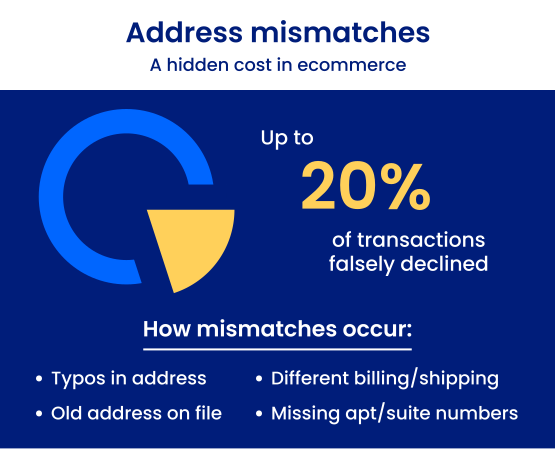
Address mismatches are one of the leading causes of false declines in ecommerce. In fact, up to 20% of transactions are falsely declined (opens in new tab), preventing legitimate customers from completing their purchase.
Even minor differences can be enough, such as:
- A missing apartment number: “123 Main St” vs. “123 Main St Apt 4B”
- A ZIP Code mismatch: Even one incorrect digit can cause verification to fail
- A typo in the street number “124 Main St” instead of “123 Main St”
- Using a different address from the billing address: Entering a new shipping address instead of the one tied to the card
- Slight formatting differences: “12B Baker St” vs. “12 Baker St Apt B”
When the details don’t match closely enough, the transaction appears riskier, and often that’s all it takes for a legitimate purchase to be declined.
From your customer’s perspective, this is incredibly frustrating. They’ve entered all their information, only to be told something is wrong without a clear explanation. Open Banking Expo (opens in new tab) reports that about 40% of shoppers won’t try again, and 42% will abandon checkout and never return.
How address quality impacts cart and checkout abandonment
For the orders that do go through, small address mistakes can still cause big problems.
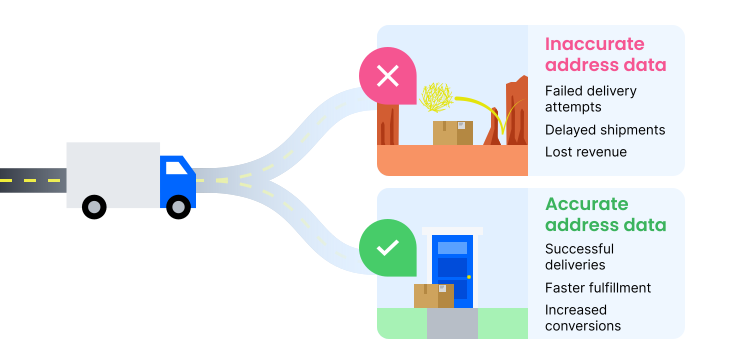
A mistyped apartment number might not seem like a big deal, but it leads to a failed delivery.
Address errors are rarely intentional. They’re usually small mistakes like a misspelled city, an incorrect ZIP Code, or a missing unit number. But those small issues can have a much larger impact, affecting both checkout completion and the overall customer experience. Over time, they can even reduce customer lifetime value.
Here’s how.
How form friction and manual address entry increase abandonment
Address entry is one of the few parts of checkout where your customers suddenly have to slow down and pay attention.
They’re typing street names, apartment numbers, cities, ZIP Codes, and other details across multiple fields, often on a mobile device. It’s tedious, easy to mess up, and honestly, most people just want to get through it as fast as possible.
So they rush.
They type just enough to move forward, skip double-checking, and only fix mistakes when they’re forced to. Every interruption breaks their momentum, making checkout feel more frustrating than it should.
And the more frustrating the checkout process feels, the more likely customers are to abandon it altogether.
It also means the data being entered isn’t always accurate. Small typos, missing apartment numbers, or incomplete addresses become much more common, especially on mobile.
At first, those mistakes might seem minor. But once bad address data enters your system, the problems don’t stop there.
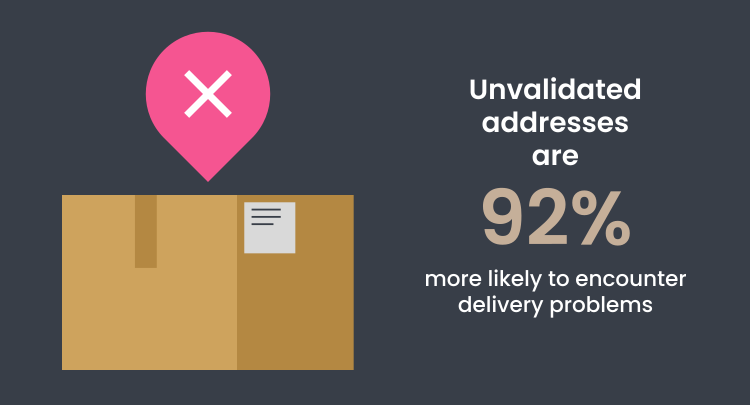
How incorrect addresses cause failed deliveries, increase costs, and impact customer trust
A missing apartment number or an incorrect ZIP Code can lead to a delayed delivery, a returned package, or an order that never arrives at all.
According to Shippo, 2.1% of ecommerce parcels have address-related issues that lead to delays or failed deliveries. For a business shipping 1,500 packages per year, that’s 31.5 delivery issues. Scale that volume up to 15,000,000 annual deliveries, and it’s 315,000 delivery issues.
Of those non-validated addresses, Shippo (opens in new tab) finds that:
- 30% are incomplete
- 28% don’t exist
- 17% contain the wrong city, state, or ZIP Code
What starts as a small typo quickly becomes a much bigger operational problem.
First come the delivery issues. Then come the support tickets.
In ecommerce, 20% to 40% of support requests (opens in new tab) are “Where is my order?” inquiries, often driven by delays like these.
Every one of those interactions costs money. A typical live-agent interaction ranges from $3.50 to $6.00 (opens in new tab), and failed deliveries can cost $15 to $20 or more (opens in new tab).
If you’re handling 10,000 address-related tickets each year, that adds up to roughly $35,000 to $60,000 in support costs alone, before you even factor in reshipments or lost inventory.
Shipping carriers can add even more costs when address data is inaccurate:
- $23.50 to $24 (opens in new tab) address correction surcharge per shipment
- $4 to $6 (opens in new tab) residential delivery fee if misclassified
What began as a small mistake during checkout has become a recurring expense that cuts into your margins.
But the impact isn’t just financial.
A failed delivery also damages customer trust. In fact, 85% of customers won’t buy again (opens in new tab) after a poor delivery experience.
Over time, those experiences add up. Every failed delivery chips away at customer confidence and weakens your brand reputation.
The good news is that many of these issues are preventable because they often start with how address data is collected during checkout.
Why developers should treat address validation as a core ecommerce checkout optimization
When customers manually enter address data, mistakes are inevitable. And once that bad data enters your system, you have to deal with the consequences.
If you wait until after submission or fulfillment to catch address errors, you’re fixing them at the most expensive stage. That’s not how to reduce shopping cart abandonment.
The earlier you catch an issue, the easier and more cost-effective it is to resolve.
That’s why developers play a critical role in ecommerce checkout optimization. Address quality isn’t just a backend concern. It should be part of the checkout experience itself.
If you’re already working to improve your checkout flow, address quality needs to be part of that conversation. Because the data you collect at checkout directly impacts everything that comes next.
That starts with how address data is captured in the first place.
Using address autocomplete to reduce cart abandonment
If you’re looking for a reliable way to reduce cart abandonment, address autocomplete is one of the most effective improvements you can make.
Instead of forcing shoppers to manually type their full address, autocomplete helps them find and select it in just a few keystrokes.
That means less typing, fewer interruptions, and a checkout experience that feels faster and easier to complete.
It also reduces the chances of mistakes, which helps prevent failed deliveries, declined transactions, and other issues caused by bad address data.
What is address autocomplete and how it works in ecommerce checkout
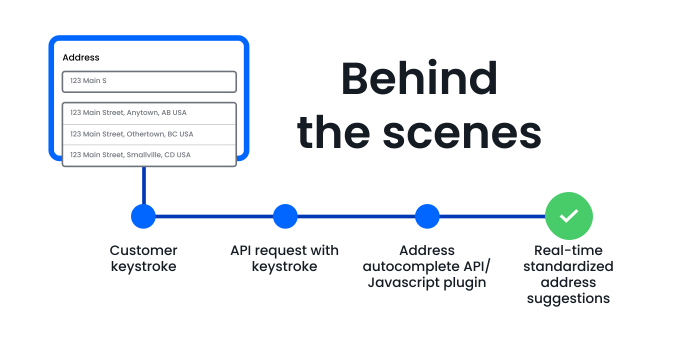
Address autocomplete is a checkout form feature that suggests complete, accurate addresses as a customer types.
Behind the scenes, a request is sent to an address autocomplete API, either directly or through a JavaScript plugin. With each keystroke, standardized address suggestions are returned instantly.
Once a customer selects an address, the remaining form fields can fill automatically with structured data like:
- Street address
- City
- State, province, or region
- ZIP Code or postal code
- Country
In your ecommerce checkout, this helps:
- Reduce manual entry
- Catch errors earlier
- Keep address data consistent across systems
- Support both domestic and international shipping workflows
It may look like a simple UX improvement, but it also acts as a data quality layer built directly into your checkout flow that helps to improve your cart abandonment rate.
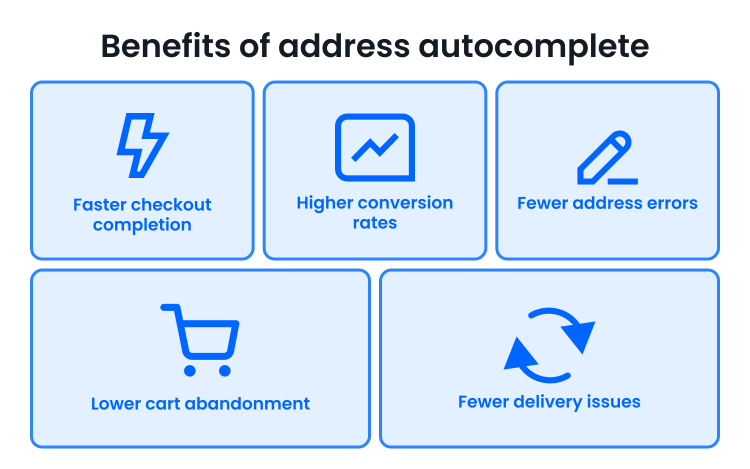
Benefits: faster checkout, fewer typos, fewer form fields, higher conversion
The earlier an error is caught, the easier and less expensive it is to fix.
Without address autocomplete, small mistakes can make it all the way through checkout before they’re caught. That can lead to failed deliveries, support tickets, reshipments, and lost revenue later on.
With address autocomplete, customers select from accurate address suggestions as they type, helping prevent errors before the order is submitted.
The result is:
- Faster checkout completion
- Fewer address errors
- Lower cart abandonment
- Fewer delivery issues and reshipments
- Higher conversion rates
These improvements support broader conversion rate optimization efforts and create a smoother checkout experience across both desktop and mobile devices.
In other words, you’re not just improving form usability. You’re improving checkout performance in a way that directly helps reduce cart abandonment.
To get the best results, though, how you implement address autocomplete matters.
Best practices for placing the autocomplete field in the checkout form
How you implement address autocomplete can make a big difference in how smooth checkout feels.
Most ecommerce checkouts use one of these approaches:
- Single-field autocomplete: Customers type their full address into one field, and the rest fills in automatically
- Progressive field fill: Suggestions appear in Address Line 1, then city, state, and ZIP Code populate after selection
- Hidden field parsing: Customers interact with one simple field while structured address data is captured behind the scenes
Each setup creates a slightly different checkout experience. The best option depends on how your form is designed and how much control you want over the experience.
Once you’ve decided how autocomplete should fit into your checkout flow, the next step is to implement it.
Implementing Smarty address autocomplete API or JS plugin
If your goal is to reduce cart abandonment quickly, adding address autocomplete is one of the fastest checkout improvements you can make.
There are two main ways to implement Smarty’s address autocomplete, depending on how much control and customization you need.

Choosing between the Smarty address autocomplete APIs and JavaScript plugin
You can either use a lightweight JavaScript plugin or integrate directly with the API.
JavaScript plugin (fastest option)
If you can edit JavaScript, the plugin is usually the simplest way to get started. You add a lightweight snippet directly into your checkout, and address suggestions begin appearing with minimal setup.
There’s no rebuild, complex configuration, or advanced implementation work required.
For many ecommerce teams, this is the fastest path to improving checkout usability and reducing address entry errors.
Address autocomplete APIs (more control)
If you need more control and flexibility, you can integrate Smarty’s International Address Autocomplete API or US Autocomplete API directly.
An API integration gives you more control over how autocomplete behaves inside your checkout flow.
For example, you can customize:
- How many address suggestions appear
- Whether nearby addresses are prioritized based on IP
In general, the plugin is best for speed and simplicity, while the API is better when you need deeper customization.
Once you’ve chosen your approach, the next step is connecting it to your checkout form.
High-level implementation steps for developers
If you’re ready to implement Smarty’s address autocomplete, the full API reference documentation walks through everything from building requests to handling responses.
If you want a faster setup, the Address Autocomplete JavaScript Solution offers a simplified implementation path with minimal configuration required.
1. Get the API keys
Start in your Smarty Dashboard and navigate to API Keys.
From there, you can create:
- An embedded key for public-facing, client-side use with IP or domain restrictions
- A secret key for secure server-to-server communication
These keys authenticate your requests to the address autocomplete and validation APIs.
With your API keys ready, you can connect autocomplete directly to your checkout form.
2. Add autocomplete to the address field
Once you’ve chosen your implementation approach, the next step is connecting autocomplete to your checkout form.
If you’re using the Address Autocomplete JavaScript Solution, setup is pretty straightforward. Attach the plugin to your address field, and suggestions automatically appear as customers type.
If you’re using the API directly, you’ll send requests with each keystroke and display the returned suggestions inside your checkout UI.
Using the API gives you more flexibility over how the experience works. For example, you can customize:
- How suggestions are displayed
- How selected addresses populate your form fields
When a customer selects an address, you can decide how the rest of the form fills in.
Some checkouts use a single address field. Others split the address into separate fields like street, city, state, and ZIP Code. You can also store structured address data behind the scenes for internal systems and fulfillment workflows.
The right setup depends on how your checkout is designed, but the goal is always the same: make address entry feel fast and effortless.
The easier the checkout process feels, the more likely customers are to complete their purchase.
3. Validate and normalize addresses in the background post-selection
This section is a bonus. Technically, your autocomplete is set up. But for the best address data, you’ll need a little bit more.
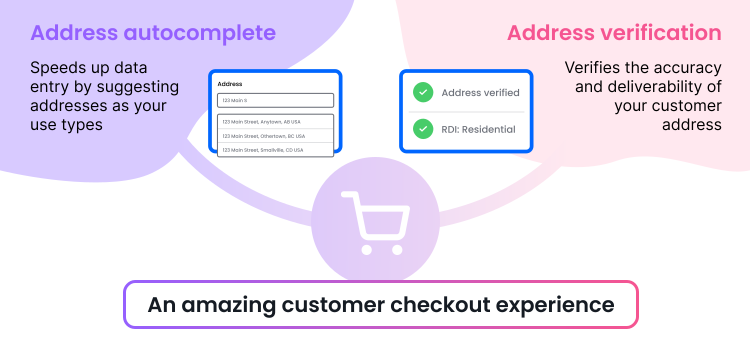
Autocomplete helps customers enter better address data and move through checkout faster.
Validation helps make sure that data is accurate, usable, and ready to work with across your systems.
After a customer selects an address with autocomplete, you can validate and normalize it in the background using an address validation API. This does more than catch typos. It confirms the address is real, standardized, and deliverable before it moves into operation.
At this point, you might be wondering: if you’re already using autocomplete, do you really need validation too? Yes. Yes, you do.
Autocomplete helps guide customers toward the right address, but mistakes can still happen. Some customers ignore the suggestions and keep typing manually. Others leave out apartment numbers, enter outdated information, or paste extra details into the wrong field.
Bad data can also get introduced later through internal systems or third-party tools, which means the address you captured at checkout may not stay clean forever.
Validation acts like a second layer of protection by checking the final address before it’s stored, shipped to, or shared across your systems.
It also helps clean up formatting inconsistencies by converting addresses into a consistent structure. That way, “123 Psycho Path Apt 4B” and “123 Psycho Path #4B” won’t be treated like two different addresses in your database. (And yes, “Psycho Path” is a real street in Michigan.)
On top of that, Smarty returns useful extra data points that can support shipping, logistics, and checkout decisions, including:
- Residential vs. commercial address status (RDI)
- ZIP Code and postal code validation
- Deliverability information
- Address precision and match status
This helps you:
- Standardize address formats
- Confirm addresses are deliverable
- Keep customer data consistent across systems
- Reduce failed deliveries and carrier surcharges
Together, autocomplete and validation help prevent problems that start with inaccurate address data.
But address quality is only one piece of the checkout experience.
Developer checklist: ecommerce checkout optimization beyond autocomplete
When you’re improving your checkout process, don’t stop at address autocomplete and verification. A few additional best practices can make checkout faster, smoother, and more customer-friendly.
Here’s a checklist to help you on your way. Does your checkout process:
▢ Minimize form fields by removing unnecessary or duplicate fields?
▢ Automatically fill fields using autofill, saved preferences, or one-click checkout?
▢ Have a clear buy button?
▢ Offer guest checkout instead of forcing account creation?
▢ Display shipping costs, taxes, and estimated delivery dates as early as possible?
▢ Support multiple payment options, like digital wallets and buy now, pay later services?
▢ Include trust signals such as security badges, SSL certificates, and clear privacy messaging?
▢ Give the customer helpful error messages when something needs fixing?
▢ Use progress indicators so customers know how many checkout steps to expect?
▢ Optimize for mobile to keep things working smoothly on small screens?
▢ Make return and refund policies easy to find?
▢ Build social proof with customer testimonials or user reviews?
Recovering abandoned carts with better data
Reducing checkout friction is one of the most effective ways to decrease cart abandonment. But when customers do drop off, the quality of your data determines how successfully you can bring them back.
To improve your abandoned cart recovery rate, make the most of your:
- Abandoned cart recovery emails (sometimes with a surprise coupon code!)
- Abandonment email campaigns (include personalized product feed and/or the option to earn extra loyalty points)
- Recovery flows across channels (don't rule out mobile shoppers using social proof)
Let’s say you send an abandoned cart email. Your customer clicks through, returns to their cart, and is ready to complete their purchase.
But if your checkout still has friction or the data you collect is inaccurate, you risk losing them all over again.
If a customer enters an incorrect or incomplete address:
- The transaction may fail due to billing mismatches
- Shipping costs or delivery options may update unexpectedly
- The order could be delayed or undeliverable
At that point, all the effort you put into recovering that cart can be undone in seconds.
That’s why clean, verified data is critical. It improves both sides of the equation:
- It helps reduce checkout abandonment upfront
- It strengthens your recovery efforts when customers return
If your data is incomplete or inaccurate, even the best abandoned cart recovery strategies fall short. Emails don’t perform as well, personalization breaks down, and retargeting becomes less effective.
The goal isn’t just to recover abandoned carts. It’s to make sure customers can actually complete their purchase once they return.
Having the right data at checkout makes a measurable difference.
Connecting Smarty data with your ecommerce platform
When you integrate Smarty into your checkout, you’re not just improving form usability. You’re strengthening your entire ecommerce checkout optimization strategy.
By capturing clean, validated address data at the point of entry, you:
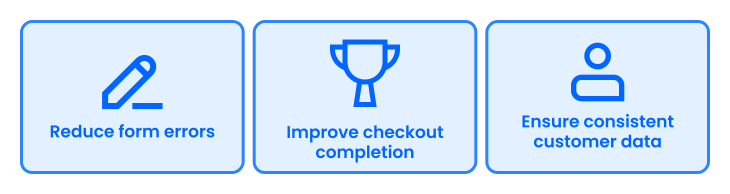
- Reduce form errors and failed submissions
- Improve checkout completion and conversion rates
- Ensure customer data is consistent across systems
- Improve customer and support satisfaction
This is especially important after an abandoned cart recovery. When a customer returns, accurate data helps ensure a smooth, error-free checkout experience so you don’t lose them a second time.
That data doesn’t stop at checkout. It powers the rest of your online cart abandonment strategy.
For example:
- Follow-up emails rely on accurate customer information
- Retargeting campaigns perform better with clean data
- Shopify abandoned cart workflows depend on reliable inputs
- Personalized incentives and push notifications work best with accurate profiles
Clean data also improves performance tracking. You get clearer abandonment metrics, better insight into customer transactions, and more reliable reporting on abandoned cart recovery and sales figures.
Even small improvements in checkout performance can have a meaningful impact on revenue.
If your business generates $1,000,000 annually, a 1.5% lift in conversion rate could result in an additional $15,000 in revenue.
As you scale:
- $10,000,000 in revenue → $150,000 gain
- $100,000,000 in revenue → $1,500,000 gain
Smarty doesn’t replace your existing cart abandonment solutions. It makes them more effective by improving the data they rely on and strengthening your overall digital presence.
This isn’t just theoretical. Many businesses are already seeing these results in practice.
Real-world results
You don’t have to guess whether address autocomplete and verification work. Many businesses have already tested it as part of their ecommerce checkout optimization strategy.
When you guide customers toward accurate address data, the impact shows up quickly.
For example:
- Fabletics used address verification and autocomplete to streamline their checkout experience. By making it faster and easier for customers to enter their address, they increased international conversions by 1.6% to 15% across different markets.
- VoteAmerica implemented address autocomplete to help users enter verified home addresses when registering or requesting ballots. This allowed them to support both USPS and non-USPS addresses while improving the overall user experience.
These results show that by reducing friction and improving data quality, you make the checkout process faster and easier, while also improving the overall customer experience.
If you want to see more examples, you can explore additional address autocomplete case studies and real-world implementations.
We're getting close to the end. How do you bring all of this together?
Building your cart abandonment strategy
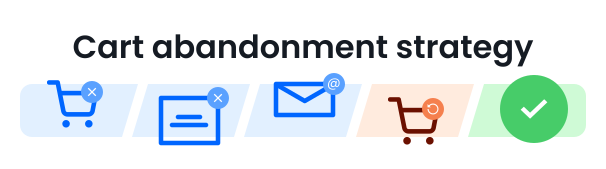
If you’re looking for how to reduce cart abandonment, the answer starts with your checkout experience.
But the real opportunity is making sure that every customer (whether it’s their first visit or a return after a recovery email) can complete checkout quickly, accurately, and without friction.
Long forms, manual address entry, and avoidable errors create friction at the exact moment your customer is ready to buy.
Address autocomplete helps reduce that friction by making address entry faster and easier. Address verification adds another layer of protection by making sure the data collected is accurate, standardized, and deliverable before the order is submitted.
Together, address autocomplete and verification help you:
- Reduce manual entry
- Catch errors in real time
- Improve data quality from the start
- Prevent failed deliveries and costly corrections later on
This isn’t just a UX improvement. It’s one of the most practical cart abandonment solutions that can help you:
- Increase checkout completion rates
- Improve conversion performance
- Reduce operational issues tied to bad address data
- Strengthen your overall checkout strategy
The easier you make it for customers to complete checkout, the more revenue you keep and the fewer carts you have to recover later.
Ready to reduce cart abandonment? Try address autocomplete and address verification in your checkout, explore your implementation options, or talk to our team to find the right solution for you.
FAQ
How do I reduce shopping cart abandonment?
You can reduce shopping cart abandonment by improving your checkout experience. Focus on faster load times, fewer form fields, guest checkout options, transparent pricing, and tools like address autocomplete that reduce friction and make checkout easier to complete.
What is a good cart abandonment rate?
Cart abandonment rates vary by industry, but most ecommerce sites see rates between 60% and 80%. Instead of aiming for a specific “good” rate, focus on improving your conversion rate by optimizing your checkout process and reducing friction wherever possible.
How does address autocomplete reduce cart abandonment?
Address autocomplete helps decrease cart abandonment by:
- Minimizing the number of fields customers need to complete
- Reducing typing effort, especially for mobile shoppers
- Catching address errors in real time
- Standardizing and validating address data during checkout
These improvements make the checkout process faster, smoother, and easier to complete.
What’s the difference between cart abandonment and checkout abandonment?
Cart abandonment happens when a customer adds items to their cart but never starts the checkout process.
Checkout abandonment happens when a customer begins checkout but leaves before completing their purchase.
Both can be improved by optimizing your ecommerce checkout and reducing friction throughout the customer journey.
Was this helpful?