
Address autocompletefor US and global forms
Address autocomplete delivers accurate address suggestions in real-time, so you capture clean, structured data without slowing anyone down.
As users type, relevant addresses appear instantly. They pick the right one, and your form fills itself. You receive standardized components like street number, city, postal code, and country code.
Need post-entry validation or bulk cleanup? Use address verification.
As users type, relevant addresses appear instantly. They pick the right one, and your form fills itself. You receive standardized components like street number, city, postal code, and country code.
Need post-entry validation or bulk cleanup? Use address verification.









Faster form fill
Users select their address in seconds instead of typing every field manually.
Fewer errors
Autocomplete results reduce typos, missing fields, and incorrect addresses.
Better user experience
A smoother, faster address form keeps users moving and improves conversions.
What is an address autocomplete API?
An address autocomplete API makes web form fills easier by returning real-time, standardized addresses for users to select. But not all address autocomplete tools deliver the same quality of data. Download the free guide to see what separates high-performing address autocomplete from tools that require cleanup later.

How it works: Type. Select. Done.
Address autofill APIs keep up with real-world traffic in three simple steps
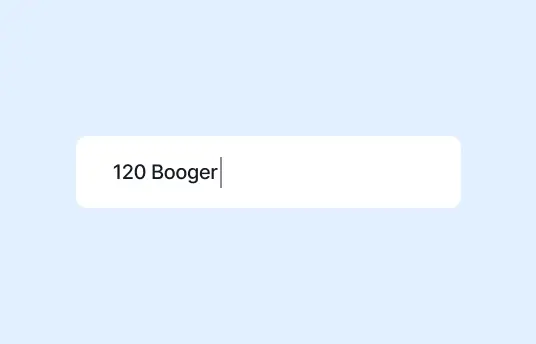
Step 1
Type
As users type, accurate address suggestions appear in real time, helping prevent typos and missing details.
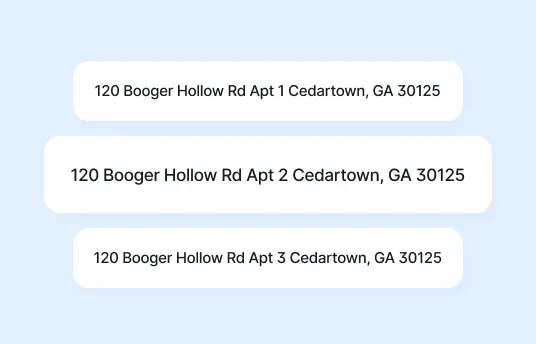
Step 2
Select
They choose the right address suggestion from the dropdown and move on (no backspacing required).
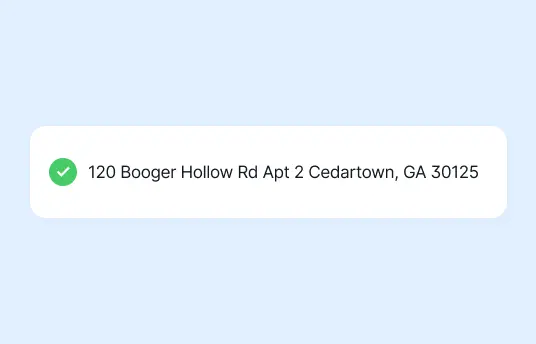
Step 3
Capture
You get address data that’s ready to power shipping, billing, onboarding, analytics, everyday workflows, and user experience.

Make the right autocomplete API call
Use US Address Autocomplete to provide address suggestions for United States forms. Use International Address Autocomplete for address autofill coverage across 240+ countries and territories.
US Address Autocomplete
Built specifically for United States address entry.
- USPS-aligned formatting
- Supports PO Boxes
- Handles street number logic
- Optimizes ZIP Code accuracy
International Address Autocomplete
Built for global address entry with country-specific formatting rules.
- Supports 240 plus countries and territories
- Handles country-specific address format rules
- Adapts to postal code differences
- Manages country codes correctly
Why address autocomplete is worth it
More completed forms, fewer issues, and better address data with less work
CONVERSION
Faster form completion
Customers finish checkout forms and onboarding forms faster with a better user experience, especially on mobile.
ACCURACY
Fewer address errors
Catch mistakes in address fields as users type and improve accuracy from the start with accurate address autofill.
DELIVERY
Fewer failed deliveries
Reduce returns, reshipments, and reroutes by capturing accurate addresses upfront.
DATA QUALITY
More consistent customer records
Capture usable address fields you can rely on across shipping, billing, and CRM systems.
SUPPORT
Less manual cleanup
Cut down on “Where is my order?” requests, follow-up emails, and time spent fixing user input.
Built for big teams and busy forms
Consistency matters once address data leaves the form and moves into shipping, billing, CRM, or analytics systems.
Smarty’s address autocomplete APIs return clean, standardized JSON address components from the start. That means fewer downstream fixes, fewer delivery issues, and better data everywhere it flows.
Structured output includes:
Before
123 main st apt 4b, slc ut
After
123 Main St Apt 4B
Salt Lake City, UT 84101
It's a small formatting change that makes a huge operational difference.
Smarty’s address autocomplete APIs return clean, standardized JSON address components from the start. That means fewer downstream fixes, fewer delivery issues, and better data everywhere it flows.
Structured output includes:
- Street number
- Route
- Unit or apartment
- City
- Region or state
- ZIP Code or postal code
- Country code
Before
123 main st apt 4b, slc ut
After
123 Main St Apt 4B
Salt Lake City, UT 84101
It's a small formatting change that makes a huge operational difference.
Address autocomplete is built API-first for modern environments and connects directly to your web address fields. As user input changes, an API request runs. When a suggestion is selected, the fields populate automatically.
Get clear documentation, SDKs, and structured JSON responses for a straightforward integration.
Get clear documentation, SDKs, and structured JSON responses for a straightforward integration.
API key and dashboard control
- Secure API key authentication
- Usage tracking in the API dashboard
- Easy new project setup
- Environment controls for dev and production
Address autocomplete APIs meet SOC 2 and enterprise security standards. High API uptime and low-latency responses support live checkout and onboarding flows, even during peak traffic. High-availability architecture keeps things stable when launches, traffic spikes, or new projects hit all at once.
If you need help, you’ll talk to people who understand your implementation.
- Faster troubleshooting and smoother launches
- Help with edge cases and production readiness
- Production readiness support
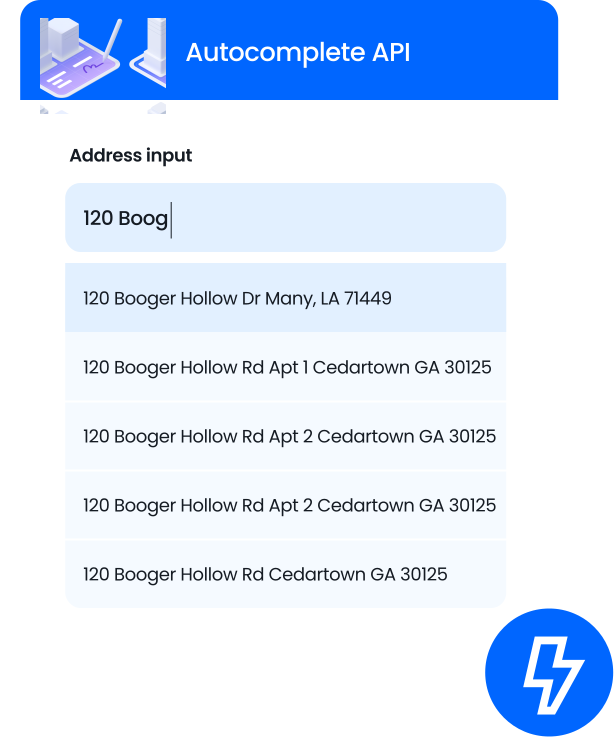

Real-world examples
See how companies use global address autofill

Fabletics
Conversion improved from 1.6% to 9.2% in some markets.
Smarty’s address autofill improved checkout speed and accuracy, especially for mobile shoppers.
Smarty’s address autofill improved checkout speed and accuracy, especially for mobile shoppers.

Speedway Motors
Conversion recovered while reducing misdeliveries and returns.
Smarty’s address autofill helped boost completed orders and reduce costs tied to shipping issues.
Smarty’s address autofill helped boost completed orders and reduce costs tied to shipping issues.

Deduce Technologies
Delivery routing improved with cleaner, more reliable address data.
Smarty’s autocomplete helped structure complex addresses for more confident last-mile delivery.
Smarty’s autocomplete helped structure complex addresses for more confident last-mile delivery.
FAQ
An address autocomplete API improves HTML forms by returning real-time address suggestions as users type in an address form. Instead of manually completing every address field, users select from structured autocomplete results.
The API returns standardized address components such as street number, city, region, ZIP Code, and country code, so you capture clean data at the point of entry. This improves form fill speed, user experience, and shipping accuracy across checkout forms and other workflows.
The API returns standardized address components such as street number, city, region, ZIP Code, and country code, so you capture clean data at the point of entry. This improves form fill speed, user experience, and shipping accuracy across checkout forms and other workflows.
Address forms break in predictable ways. You may encounter:
- Missing street numbers
- Invalid ZIP Code formats
- Country restrictions conflicts
- PO Boxes entered incorrectly
- Inconsistent address fields
- User input typos
- Incorrect shipping addresses
Your address data flows into multiple systems, including:
- Shipping and fulfillment platforms
- CRM records
- Fraud detection tools
- Analytics dashboards
- and more!
Yes. Smarty’s address autocomplete returns fully standardized address components in the dropdown results, including street number, city, region, postal or ZIP Code, and country.
This ensures a consistent address format and reliable address standardization from the start.
This ensures a consistent address format and reliable address standardization from the start.
Yes. A robust address autocomplete solution can:
- Recognize and standardize valid PO Boxes
- Restrict results by country code or service region
- Support international address formats
Address autocomplete helps users enter the correct address faster by suggesting matches in real time.
Address verification, sometimes called an address validation API, checks and standardizes an address after it’s entered to confirm it’s valid and usable.
In short, address autocomplete improves user input during form fill. Address verification confirms and standardizes the shipping address afterward. Many businesses use both together.
Address verification, sometimes called an address validation API, checks and standardizes an address after it’s entered to confirm it’s valid and usable.
In short, address autocomplete improves user input during form fill. Address verification confirms and standardizes the shipping address afterward. Many businesses use both together.
Google Places autocomplete, part of the Google Places API on Google Maps and Google Cloud Platform, is designed primarily for place discovery. It often prioritizes businesses and points of interest rather than actual usable addresses.
If your goal is accurate address search for checkout forms and a strong delivery experience, a purpose-built address autocomplete API is typically the better choice. Address-focused solutions are designed to return standardized, mailable address components, including apartment or suite information.
If your goal is accurate address search for checkout forms and a strong delivery experience, a purpose-built address autocomplete API is typically the better choice. Address-focused solutions are designed to return standardized, mailable address components, including apartment or suite information.
Autocomplete focuses on returning structured address components, not geographic coordinates. Smarty’s address autocomplete doesn’t return geographic coordinates directly.
If you need latitude and longitude for mapping, routing, or territory planning, you can combine autocomplete with a Geocoding API. A Geocoding API converts addresses into geographic coordinates.
If you need latitude and longitude for mapping, routing, or territory planning, you can combine autocomplete with a Geocoding API. A Geocoding API converts addresses into geographic coordinates.
When you start a new project, you receive a unique API Key tied to your account. You include this key in your API requests so the system can authenticate usage, track API calls, apply limits, and secure access.
You can typically manage your API key and monitor usage in your API dashboard.
You can typically manage your API key and monitor usage in your API dashboard.
API uptime is the percentage of time the service is available to process your API requests. it’s usually measured monthly.
High API uptime ensures your address form, checkout flows, and other critical workflows continue running without interruption. Smarty has 99.999% historical uptime.
High API uptime ensures your address form, checkout flows, and other critical workflows continue running without interruption. Smarty has 99.999% historical uptime.
Most teams can implement an address autocomplete API quickly, often within the same day, depending on your platform and form structure. Smarty’s clear documentation and developer-friendly APIs make integration straightforward.
More FAQ
Select a category to see more information about a certain topic.