Not sure which product you need? Let the wizard guide you

Microsoft ExcelAddress Validation
Effortlessly validate and geocode US and international addresses inside Microsoft Excel with Smarty's easy-to-use address verification add-in.
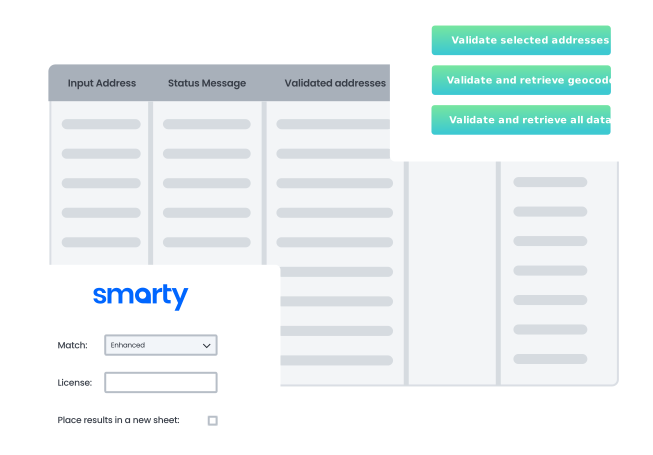










Plug & play with Excel
Tap a button to turn your address chaos into pristine location data with geocodes
Validation
Verify instantly
Validate address lists in Excel at warp speed with just one click.
Location
Geocode addresses
Every time you validate an address, bam—you get ZIP9-or-better geocodes, too! (See US Rooftop Geocoding for higher accuracy.)
Startup
Integrate seemlessly
Simply download the add-in from the Microsoft AppSource store, and away you go.
Efficiency
Enjoy convenience
Works right within your Excel sheet where your addresses are—no fuss, no muss.
Enrichment
Get data
Watch the metadata appear beside every address like it’s got a mind of its own.
Process
Get top-tier results
Nail your mission-critical processes with Smarty’s top-tier results.
Boundless
Sidestep limits
Crunch all the addresses you want—just as many as Excel and your Smarty plan can handle.
Trial
Try it free
Validate address lists in Excel at warp speed with just one click. Start 42-day .

Step 1
Install the plugin

Step 2
Authenticate
Navigate to “Smarty” in your top ribbon and enter your credentials from the API Keys tab in your Smarty account. Don’t have an account yet? Get a free account with 1,000 free address lookups. Get a paid account to process more addresses.

Step 3
Verify and geocode
Choose any of the 3 options to 1) validate, 2) validate and geocode, or 3) validate and retrieve all data. Simply click a button, and presto!

Step 4
Enjoy clean and accurate data
Say goodbye to typos and bad addresses. Your spreadsheets just leveled up. The validation results and gobs of metadata will populate the cells to the right of each address.
FAQ
Where can I get detailed instructions on how to use the Microsoft Excel add-in?
You'll find detailed instructions that enable you to do excel geocoding and address validation in Smarty's documentation center on the Microsoft Excel Address Verification page.
Where do I get the Microsoft Excel add-in?
You can download the add-in at no cost at the Microsoft AppSource store here.
Can I try Smarty's Microsoft Excel add-in for free?
Yes! Just get a free US or international address verification free trial to do batch address validation geocoding in Excel. Because we like you, you don't even need to give us your credit card info for the trial. If you want to verify more than the allotted free-trial addresses, you can get a paid subscription.
Do I need an active subscription to use this?
Yes. When in Excel, the add-in will prompt you to log in using your Smarty credentials before you can validate addresses. You will find your credentials in your free account even if you're doing a free trial. See the detailed instructions in Smarty's documentation center on the Microsoft Excel Address Verification page.
How many addresses can I validate at one time?
Smarty's Microsoft Excel add-in imposes no size restrictions. However, the amount and speed of your output will be constrained by Excel limits. Your output will also be limited by your subscription.
For address lists exceeding 100,000 rows, we suggest using the Command Line Interface (CLI) for the best processing experience. The CLI imposes no size limits, and you can process as many addresses as your Smarty subscription allows.
For address lists exceeding 100,000 rows, we suggest using the Command Line Interface (CLI) for the best processing experience. The CLI imposes no size limits, and you can process as many addresses as your Smarty subscription allows.
More FAQ
Select a category to see more information about a certain topic.