Salesforce address autocomplete with Smarty: Key features and benefits
It only takes one small typo to cause big problems in Salesforce.
A missing apartment number. One wrong digit in a ZIP Code. A rushed copy-paste.
Smarty stops those problems before they start.
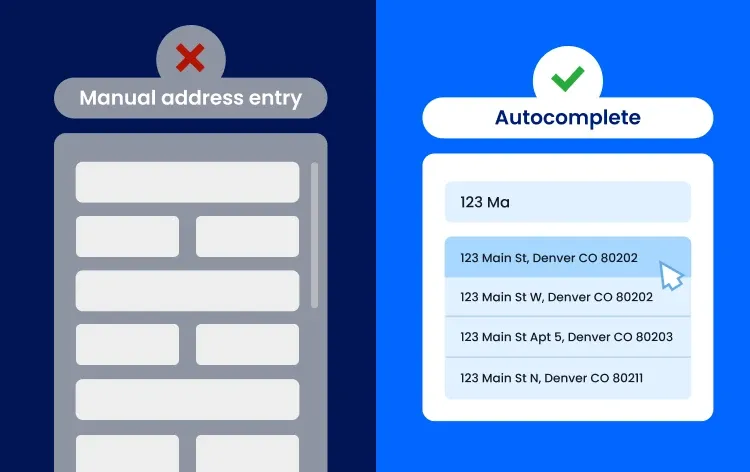
Connecting Smarty’s address autocomplete via API adds verified address lookup directly into Salesforce address fields. As someone types, precise address suggestions appear in a drop-down menu. Once selected, Salesforce address fields are filled correctly before the record is ever saved.
No guessing. No cleanup later. Just beautiful, usable address data from day one.
Want to see it in action? Try Smarty’s address autocomplete or explore the docs, then continue reading for a deeper look at how it works in Salesforce.
This guide walks through everything from why address autocomplete matters in Salesforce to setup, comparisons, and real-world use cases.
Jump to any section below or read on for the full guide:
- Why add address autocomplete in Salesforce
- What is Smarty’s address autocomplete for Salesforce?
- Why use Smarty address autocomplete with Salesforce?
- Google Maps and Places API vs. Smarty address autocomplete
- How Smarty address autocomplete works inside Salesforce UI and frameworks
- Address data, your Salesforce org, and record handling
- Address formatting, restrictions, and compliance
- Security, trusted URLs, and content security policy
- Real-world impact: How teams use Smarty address autocomplete
- Common questions Salesforce teams ask about address autocomplete
- Getting started with Smarty address autocomplete in Salesforce
- Optimizing Smarty address autocomplete for long-term success
- Community, support, and developer resources
- See what Smarty’s Salesforce address autocomplete can do
Why add address autocomplete in Salesforce
Salesforce runs on data.
And address data influences everything.
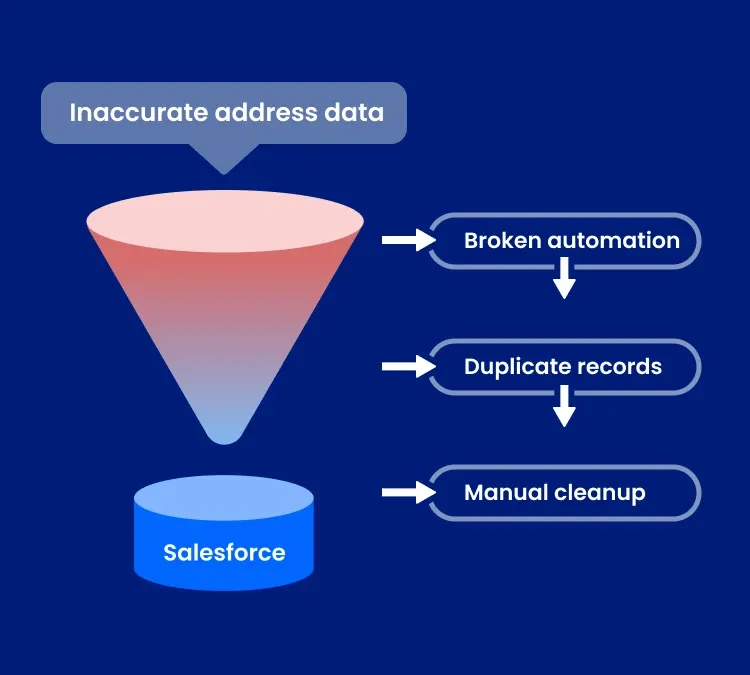
If your address fields rely on manual text input, errors are unavoidable. No one is trying to make a mistake, but people move fast, and details get skipped. Typos sneak through. And once bad addresses are saved, they don’t stay contained.
They show up as:
- Broken automations and failed deliveries
- Duplicate records cluttering your database
- Messy reporting and territory planning
- Teams spending time fixing data instead of using it
Smarty’s address autocomplete fixes all of these complications at the source before they become a problem.
Instead of typing everything manually, users select from address suggestions as they go. (This is especially important for mobile device users who make up more than 80% of ecommerce purchases.) Address fields are completed correctly in real time, so bad data never enters your Salesforce org in the first place.
What is Smarty’s address autocomplete for Salesforce?
Smarty’s address autocomplete is built for one thing: capturing usable mailing addresses inside Salesforce.
Not places on a map.
Not “close enough” suggestions.
Real, usable mailing addresses your CRM workflows can rely on when you use Smarty’s autocomplete in Salesforce.
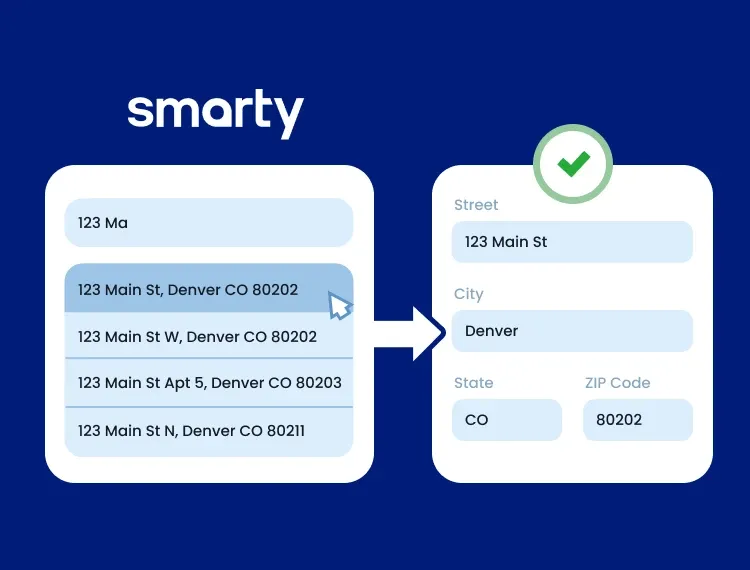
Instead of free-form text input, users choose from a structured address list that maps cleanly into Salesforce address fields. You get standardized address data that works across records, workflows, and systems.
Choose from two purpose-built options depending on where you operate:
- US Address Autocomplete
Verified and standardized U.S. addresses using USPS data plus millions of additional valid addresses, including PO Boxes, APO/FPO/DPO, and non-USPS addresses. - International Address Autocomplete
Accurate address suggestions and country-specific formatting for 240 countries and territories, following local postal rules.
Either way, the experience is the same: fewer errors, cleaner data, and no more guessing how an address should be formatted.
Why use Smarty address autocomplete with Salesforce?
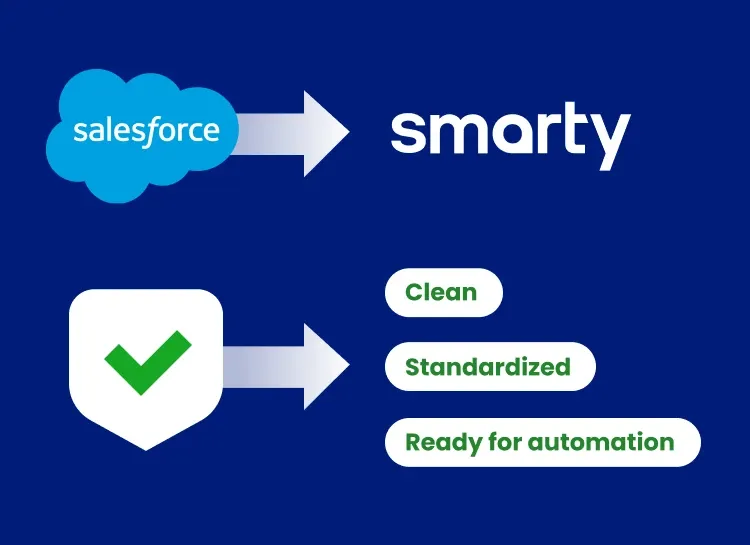
Not all address autocomplete tools are built for CRM accuracy.
Free or generic autocomplete tools are usually designed to help people find locations or places of interest like monuments, religious sites, or public parks. That’s fine for maps, but it’s not great for CRM data.
Smarty is different. It’s built to work with your Salesforce data models and real business workflows.
That means you can:
- Populate standard and custom address fields correctly
- Enforce address formatting and address restrictions (US and international)
- Support Salesforce Starter Suite (formally known as Salesforce Essentials plan) and enterprise orgs alike
If your Salesforce workflows depend on accurate addresses for shipping, onboarding, service dispatch, billing, or compliance, a hyper-accurate address autocomplete is essential.
Google Maps and Places API vs. Smarty address autocomplete
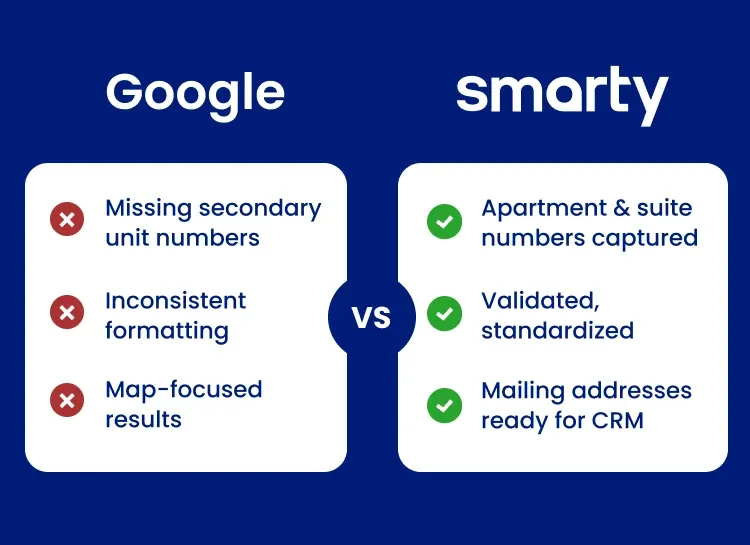
Salesforce includes an address autocomplete option through Maps and Location Settings, powered by the Google Places Autocomplete API. It’s easy to enable and works well when the goal is finding places (not valid addresses) on a map.
The difference becomes obvious when you need usable address data within Salesforce.
The problem with Google Places for CRM data
Google Places is designed for location and place prediction, not for capturing standardized mailing addresses. When teams rely on it for address entry, a few issues tend to surface:
- Apartment and suite numbers are often missing (critical for delivery and customer records)
- Address formatting can be inconsistent, which leads to duplicates and data quality issues
- Results are influenced by map context and crowd-sourced information
- Many teams still need to validate or clean addresses after records are saved
Smarty's approach: Mailing address accuracy first
Smarty takes a different approach. Instead of prioritizing places, Smarty focuses on deliverable addresses that work in your CRM.
With Smarty’s address autocomplete:
- Addresses are validated and standardized for Salesforce use
- Secondary unit details (apartments, suites, unit numbers) are captured more consistently
- Address data is ready for automation, reporting, and fulfillment
- Fewer records require cleanup later
Side-by-side comparison: Google vs. Smarty
| Feature | Google Places Autocomplete | Smarty address autocomplete |
| Primary focus | Places and location discovery | Mailing address accuracy |
| Designed for CRM address capture | ❌ No | ✅ Yes |
| USPS-backed address data (US) | ❌ No | ✅ Yes |
| Captures apartment & suite numbers | ❌ Often missing | ✅ Consistently included |
| Address formatting & standardization | ❌ Inconsistent | ✅ Enforced |
| Ready for automation & fulfillment | ❌ Often needs cleanup | ✅ Ready at entry |
| Validation before record save | ❌ No | ✅ Yes |
| Global address formatting support | ⚠️ Limited | ✅ 240 countries & territories |
Key takeaway: Google helps users find places. Smarty helps you capture addresses you can actually use in Salesforce.
How Smarty address autocomplete works inside Salesforce UI and frameworks
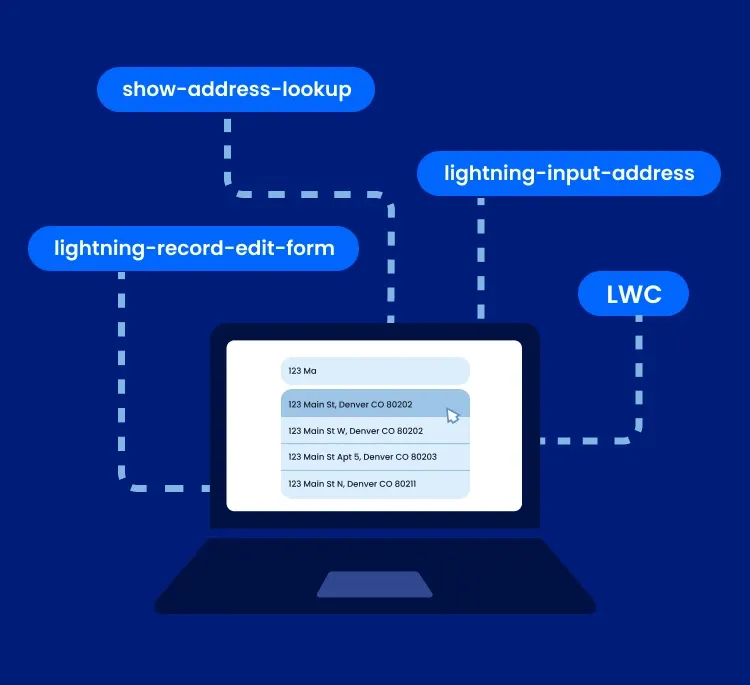
Smarty fits naturally into the Salesforce Lightning experience, so address entry feels familiar to your users.
It works alongside Salesforce UI patterns and lightning frameworks that teams already use, including:
- Lightning Web Components (LWC)
- lightning-input-address
- lightning-record-edit-form
- Salesforce’s native address lookup behavior (show-address-lookup)
As users type into address fields, suggestions appear in a familiar drop-down menu. When a selection is made, Salesforce automatically fills in the related address fields.
Works where your users already work
Smarty supports address capture anywhere addresses are entered in Salesforce, including:
- Salesforce Form Builder
- Live forms and preview mode
- Custom components and custom objects
Whether someone is editing a Lead, creating an Account, or filling out a form, the address entry experience stays consistent across your Salesforce org.
Address data, your Salesforce org, and record handling
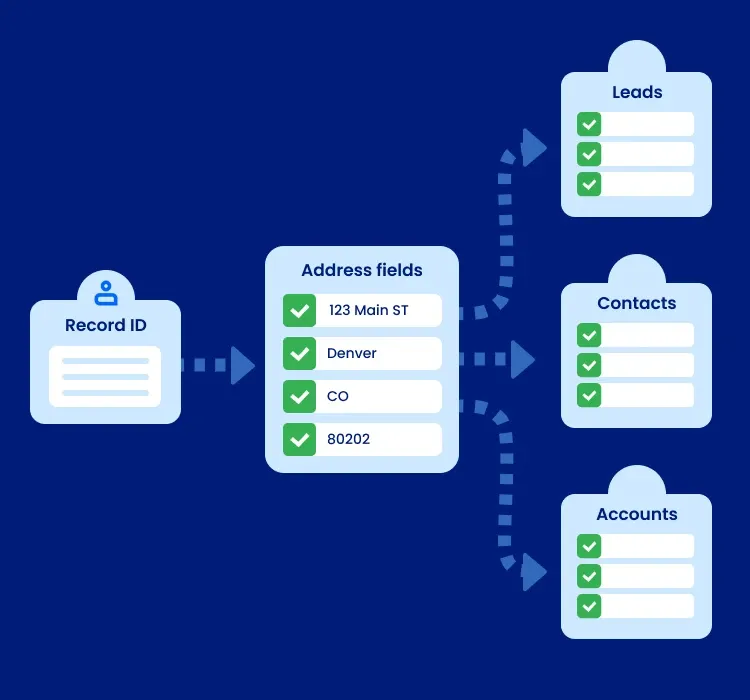
Smarty works with Salesforce's data model, not against it.
When someone selects an address, Smarty returns structured address components that map cleanly to Salesforce address fields. Those values are tied to the correct record using the Record ID and Object API Name, so updates land where they should.
Because addresses are standardized at the moment they're entered, your Salesforce org stays cleaner over time. Records are easier to match, formatting stays consistent, and you spend far less time dealing with duplicates or fixing address issues later.
Address formatting, restrictions, and compliance
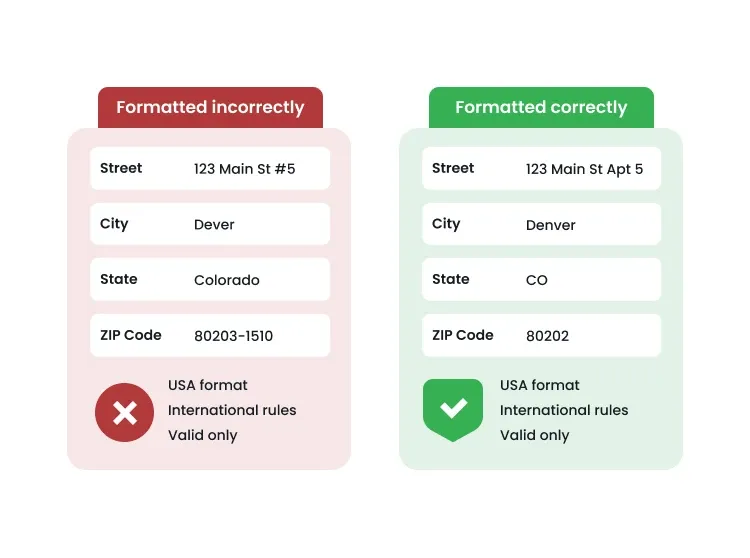
Smarty helps you keep address data consistent by applying the right formatting rules at the moment of entry.
That means:
- proper USA address formats
- country-specific rules for international addresses
- fewer incomplete or invalid submissions
You can also control which addresses appear based on your business needs, instead of relying on users to type everything perfectly on their own.
With only valid, usable addresses in Salesforce, your data stays compliant and ready for whatever comes next.
Security, trusted URLs, and content security policy
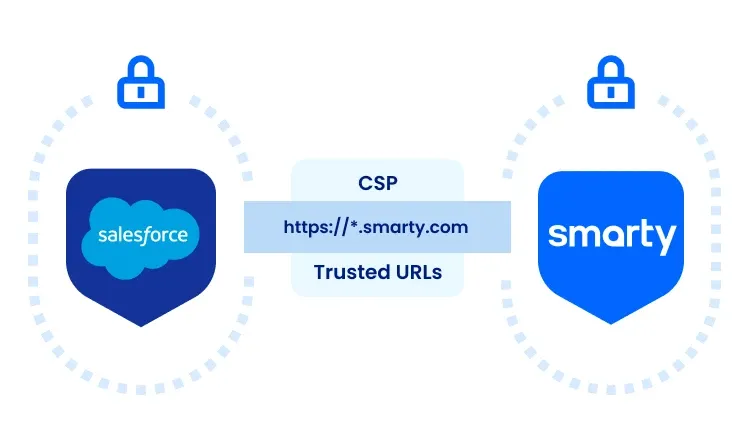
Data security matters in Salesforce, and your address autocomplete solution should respect that.
When using Smarty into your Salesforce UI, you configure trust using Salesforce tools like Trusted URLs and Content Security Policy (CSP) settings.
Once the Smarty endpoints are trusted, Lightning Web Components can make secure API calls without being blocked, and without loosening your Salesforce security model.
The result is a seamless address entry experience that keeps both your users and your security team comfortable.
Real-world impact: How teams use Smarty address autocomplete
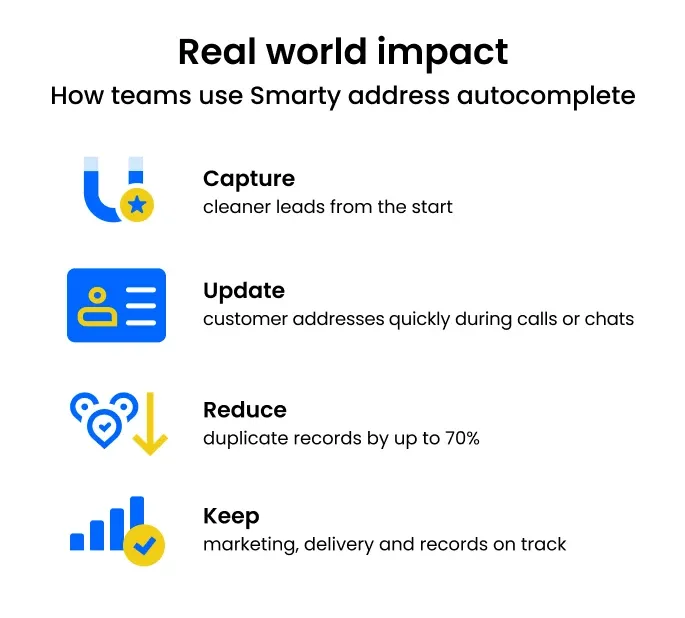
Address errors may seem small, but their effects add up quickly.
When teams use Smarty's address autocomplete, they:
- Capture cleaner leads from the start, reducing data cleanup by up to 70%
- Update customer addresses more quickly during calls or chats
- Keep marketing, delivery, and segmentation on track with standardized data
- Reduce duplicate records and manual cleanup work
- Support more reliable reporting and automation
Because address standards are enforced automatically, operations stay consistent without extra manual work.
Organizations like Fabletics, VoteAmerica, and Palo Alto Pickleball Club rely on Smarty to keep their data accurate and their day-to-day operations running smoothly.
Common questions Salesforce teams ask about address autocomplete
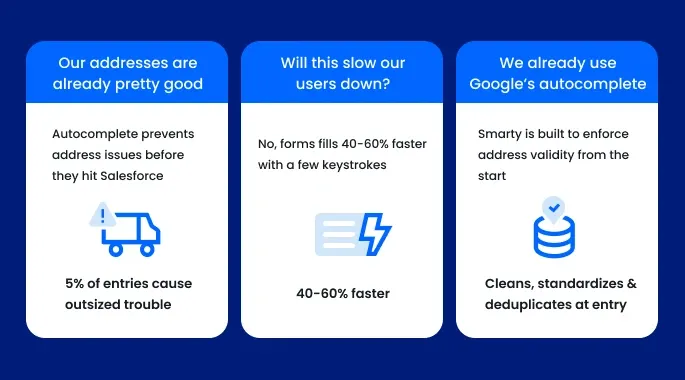
When teams consider adding address autocomplete to Salesforce, a few questions/objections almost always surface. They usually center on data quality, user experience, and whether another (or different) tool is really necessary. Here are the most common concerns and how implementing address autocomplete actually addresses them.
- Our addresses are already pretty good
Even if 95 percent of your addresses are correct, the remaining 5 percent tend to cause outsized and costly problems. Failed deliveries, duplicate records, broken automations, and manual cleanup all start with small address errors. Address autocomplete prevents those issues before they enter Salesforce, and the time and cost savings add up quickly.
- Will this slow our users down?
Actually, it does the opposite. Instead of typing every address line manually, users select an address in just a few keystrokes. Forms move faster, data entry feels easier, and users spend less time correcting mistakes and dragging that tiny cursor around with their fingers on a small phone screen.
- We already use Google’s autocomplete
Google Places works well for finding locations, but it wasn’t built for CRM data quality. If your team is still fixing apartment numbers, standardizing formats, or cleaning up duplicate records, that work is happening after the data is already in Salesforce. Smarty addresses the problem at the point of entry, before cleanup is needed.
Getting started with Smarty address autocomplete in Salesforce
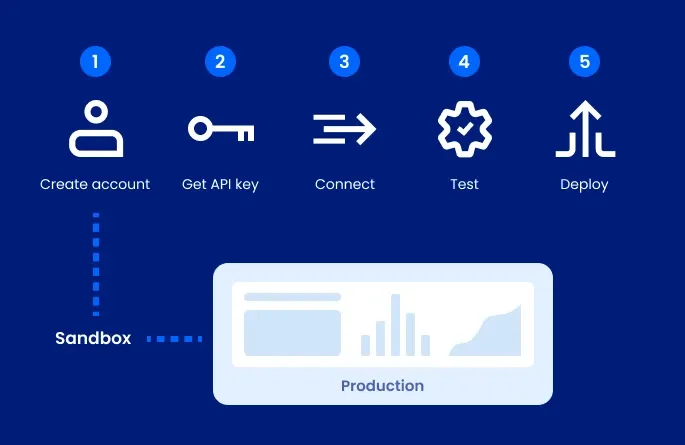
Getting started with Smarty’s address autocomplete tools is straightforward and low-risk.
You can sign up for a free 42-day trial (no credit card required) and test how address autocomplete works with your Salesforce org before rolling it out more broadly.
Smarty’s address autocomplete options include:
- Real-time address autocomplete in Salesforce forms and record pages
- Address validation or standardization after a record is saved
- Low-code workflows that support automation and enrichment
Most teams start small, test in a sandbox, and expand usage as they gain confidence.
What setup typically looks like
If you’re wondering what it actually takes to get started, most teams follow a straightforward path:
- Create a Smarty account and start the free trial.
- Generate an API key in the Smarty dashboard.
- Store the key securely in Salesforce using Named Credentials or encrypted settings.
- Connect Smarty to Salesforce using your preferred approach.
- Test address lookup and field mapping in a sandbox or preview environment.
Once everything looks good, you can enable address autocomplete anywhere addresses are captured, including Leads, Contacts, Accounts, custom objects, and even external forms that feed Salesforce.
This gives you a working implementation without locking you into a complex or risky setup.
For setup examples and code-level guidance, Smarty's best practices guide is the best place to go deeper.
Optimizing Smarty address autocomplete for long-term success
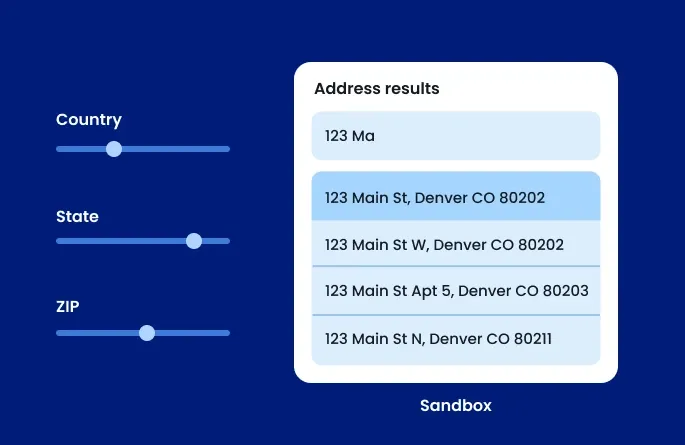
Once address autocomplete is live, a few adjustments help keep everything running smoothly:
- Filter suggestions by country, state, or ZIP Code to match your business scope.
- Capture apartment and suite details by default to reduce incomplete addresses.
- Keep the drop-down menu clean and accessible for all users.
- Test changes in a Salesforce sandbox before deploying them to production.
- Monitor usage in the Smarty dashboard to track adoption and identify issues.
Configured thoughtfully, address autocomplete keeps Salesforce clean, fast, and reliable as your org grows.
Community, support, and developer resources
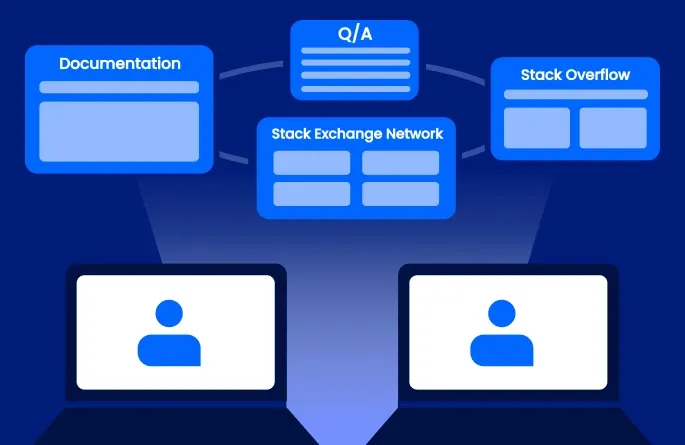
You don’t have to figure this out on your own.
Smarty provides clear, well-maintained documentation, along with implementation guides and examples that help you move forward with confidence. When questions come up, you can also get support from people who genuinely understand address data and how it fits into real Salesforce workflows.
Beyond Smarty, Salesforce admins and developers also lean on the broader community through resources like:
- Stack Exchange Network
- Stack Overflow
- Salesforce Q&A communities
For anything critical or implementation-specific, Smarty’s official documentation is always the best place to start.
See what Smarty’s Salesforce address autocomplete can do
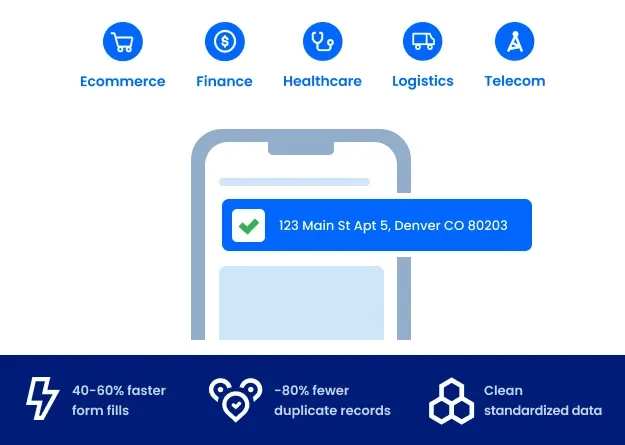
It doesn’t matter if you’re in ecommerce, logistics, telecom, finance, or healthcare; your business runs on data. Once address autocomplete is live, the difference shows up fast.
Customers move through forms and checkouts with less friction. Addresses are selected in just a few keystrokes instead of being typed line by line. Behind the scenes, address data stays clean and consistent across shipping, billing, and CRM records.
Teams across your org benefit quickly:
- Data entry becomes 40-60% faster with fewer mistakes.
- Duplicate records drop as addresses are standardized at entry.
- Customer experiences improve with cart abandonment dropping 20-30%.
- Reporting, routing, and fulfillment improve because address data is consistent.
Sales, marketing, and service teams spend less time fixing records and more time focusing on their actual jobs. Salesforce becomes easier to trust because address data follows consistent standards.
Salesforce moves fast. Data gets entered all day. Smarty address autocomplete removes friction from every form and helps keep your data verified from the start.
Ready to see the difference?
Start your free trial of US Address Autocomplete or International Address Autocomplete today and experience how precise address data transforms your Salesforce org and pads your bottom line.
Learn more in the documentation or contact Smarty to discuss enterprise pricing and implementation support.