
Can address autocomplete really reduce entry time by 80%?
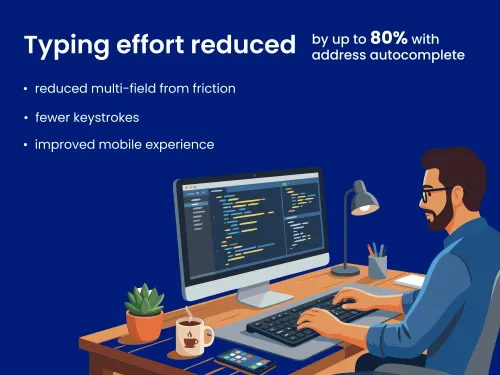


Yes! Address autocomplete can really reduce entry time by up to 80%.
BUT THAT SOUNDS CRAZY, right? Your scrutiny isn’t unwarranted. It’s why this blog exists.
Let’s break down what “reducing entry time by 80%” actually means. Along the way, we’ll look at real-world studies and usability research to see how typing effort, form friction, and address type affect entry time.
Here’s what we’ll cover:
- What does “80%” actually refer to?
- Why reducing keystrokes reduces time: The Keystroke-Level Model
- Why multi-field address forms create friction
- The mobile multiplier
- How autocomplete changes the interaction model
- Side-by-side comparison
- Why this matters for business
- TL;DR
What does “80%” actually refer to?
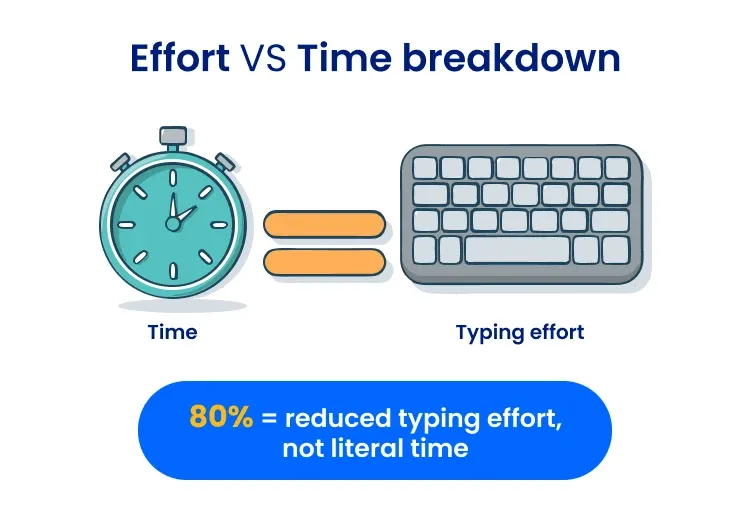
When we say address autocomplete can reduce entry time by up to 80%, we’re not talking about stopwatch time measured from the first keystroke to the last. We’re talking about an 80% reduction in typing effort.
When addresses are automatically suggested as users type, they’ll spend less time typing, correcting, AND bouncing between address fields. Altogether, that leads to a lower address entry time.
Clear as mud? Let’s break it down further with some examples.
How many keystrokes does manual entry require?
If reducing keystrokes reduces entry time, you’re probably wondering how many keystrokes address autocomplete actually reduces. That raises the obvious question: How many keystrokes does manual address entry require in the first place?
There isn’t a universal statistic for average address length in keystrokes. Address length within the same country can vary drastically depending on secondary information and the length of the street name and number.
Take the longest and shortest US addresses, for example. While the longest address, 23019 International Airport Center Blvd, Ste 100, Springfield Gardens, NY 11413, would take a whopping 79 keystrokes to type manually, the shortest, 6 RR 1, Jet, OK 73749, would only take 21.
International addresses add even more variety in address length and structure. Since each country has its own postal authority that sets its own postal standards, there are no global standards.
Address autocomplete reduces address entry time regardless of address length or country formatting. Here’s how it works.
Say a user needs to enter:
1313 S Disneyland Dr Anaheim CA 92802
Manually typing that takes:
- 20 keystrokes for the street line
- 7 for the city
- 2 for the state
- 5 for the ZIP Code
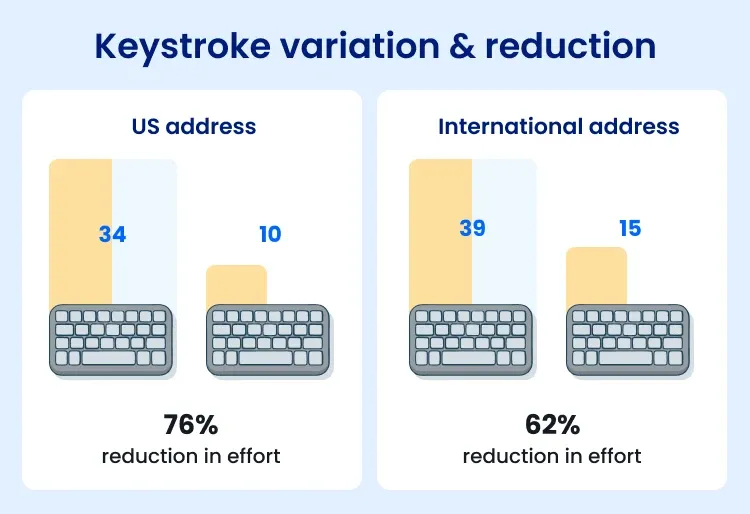
That’s 34 total keystrokes—and we’re not even accounting for tabbing between address fields, switching keyboards on mobile, or fixing typos.
With Smarty’s autocomplete, suggested addresses start populating after one keystroke. The correct address appears after the user types:
1313 Dis
That’s 24 fewer keystrokes, or a 76% reduction in typing effort.
Let’s run that same experiment on an international address:
1-1 Maihama Urayasu-Shi Chiba 279-0031 JPN
Typed manually, you’ll need a total of 39 keystrokes:
- 23 keystrokes for the locality and dependent locality
- 8 for the postal code
- 5 for the administrative area
- 3 for the country
And just like before, Smarty’s autocomplete starts suggesting addresses after the first keystroke. The right address comes up after the user types:
1-1 Maiham
they’ll save 29 keystrokes, which comes to a 74% reduction in typing effort.
And those stats were based on Smarty HQ’s IP address. But Smarty’s autocomplete can also use the end user’s IP address to prioritize nearby addresses first. It can even be configured to show addresses only within a specific region. When you narrow the search like that, the right address suggestions could appear even faster.
Using an IP address in Anaheim, Smarty’s address autocomplete suggests:
1313 S Disneyland Dr Anaheim CA 92802
after 7 keystrokes, meaning autocomplete reduces 79% of typing effort!
So where does “up to 80%” come from?
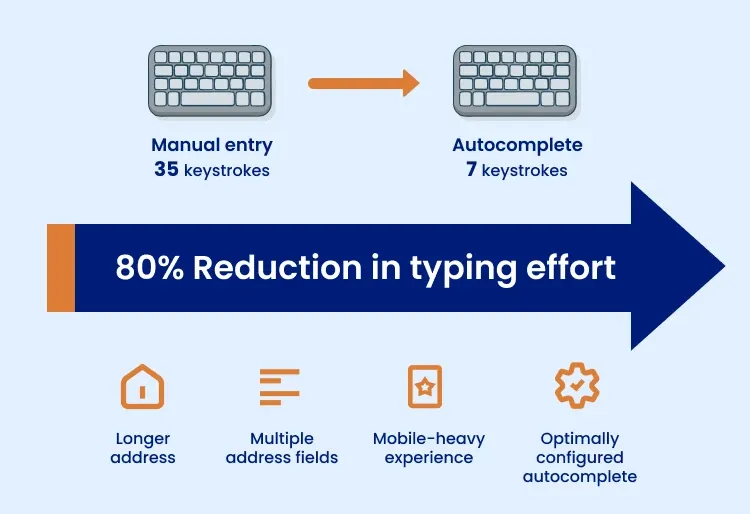
When address autocomplete suggests a 35-keystroke address in 7 keystrokes, it’s reducing typing effort by 80%.
Since there’s no universal average address length, and address autocomplete can suggest the correct address with any number of keystrokes, the percentage of typing effort saved by address autocomplete will vary from address to address.
Most often, you’ll see an 80% entry typing effort reduction when:
- Addresses are longer
- Forms require multiple address fields
- The experience is mobile-heavy (and therefore typo likely)
- Autocomplete is optimally configured
But typing effort is only part of the story. What about actual time saved?
Why reducing keystrokes reduces time: The Keystroke-Level Model
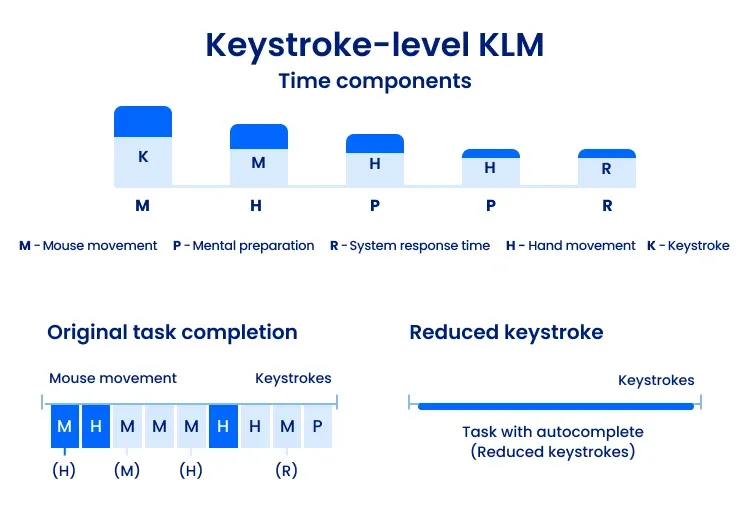
In the early 80s, human-computer interaction scholars developed the Keystroke-Level Model (KLM), a system design tool that predicts the time it takes a user to complete a task using a computer system.
To predict completion time, the KLM compounds the time associated with:
- Keystrokes or button presses
- Mouse movement
- Hand movement on the keyboard
- Mental preparation for physical actions
- System response time
Let's apply this to address entry time.
Users type when they manually enter an address. Those keystrokes compound with mouse movements, hand movements, and mental preparation, increasing the overall time it takes to enter an address.
When address autocomplete cuts those keystrokes by 80%, the overall completion time follows suit.
Why multi-field address forms create friction
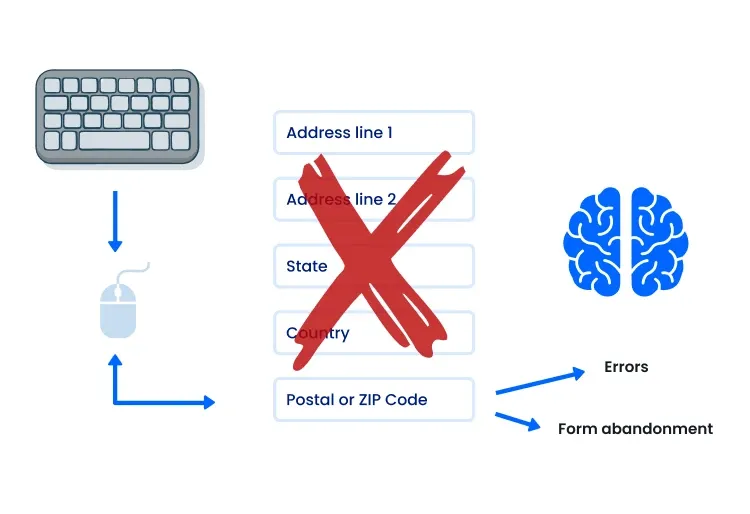
Along with keystrokes, the Keystroke-Level Model measures the time a user spends on mouse and hand movements, as these actions also lead to a longer completion time.
When it comes to address entry, these unnecessary mouse and hand movements stem from multi-field address forms.
Traditionally, an address form includes six fields:
- Address Line 1
- Address Line 2
- City
- State
- Postal or ZIP Code
- Country
A multi-field address form requires users to enter each field in a separate box, which means that in desktop mode, they need to move their hand from the keyboard to the mouse, move their mouse to the right box, click it, and then move their hand back to the keyboard. Yikes!
User experience researchers at the Nielsen Norman Group find that each of these additional steps adds to a user’s cognitive load, slowing form completion. If their cognitive load gets too high, users are more prone to errors, form friction, and form abandonment.
And that’s just for forms accessed on desktops and laptops. When things go mobile, it adds another layer of complexity that can trip users up.
The mobile multiplier
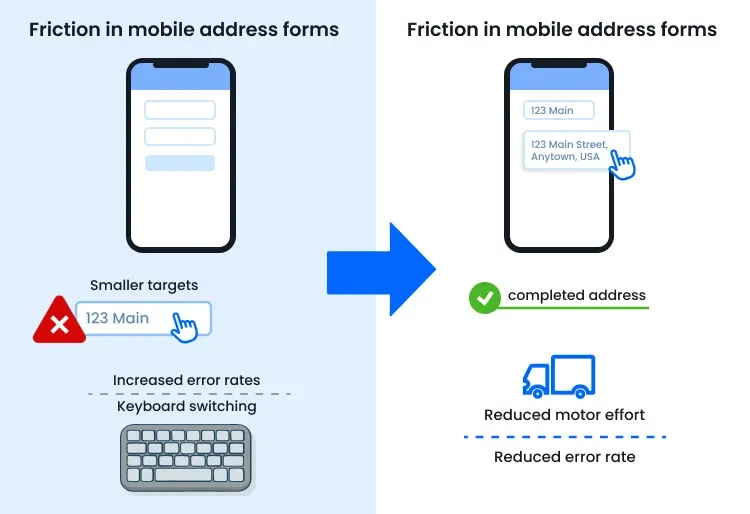
Remember all the extra clicking and moving needed to fill out multi-field address forms? Now imagine doing all that on a phone.
The fields become smaller targets to click, increasing error rates, and switching between separate alphabetic and numeric keyboards during address entry adds even further delays.
How do businesses avoid the friction? By implementing address autocomplete.
The Baymard Institute found that using address autocomplete “proved to be the most effective and efficient way to reduce the burden of entering address information.”
Why? Because address autocomplete reduces motor effort AND error rate at the same time.
For mobile users, address autocomplete removes a whole lot of hand movement, button clicks, and keystrokes, meaning an 80% reduction in entry time is within reach.
How autocomplete changes the interaction model
Okay, so we’ve thrown a lot of theory at you. Let’s put it into practice.
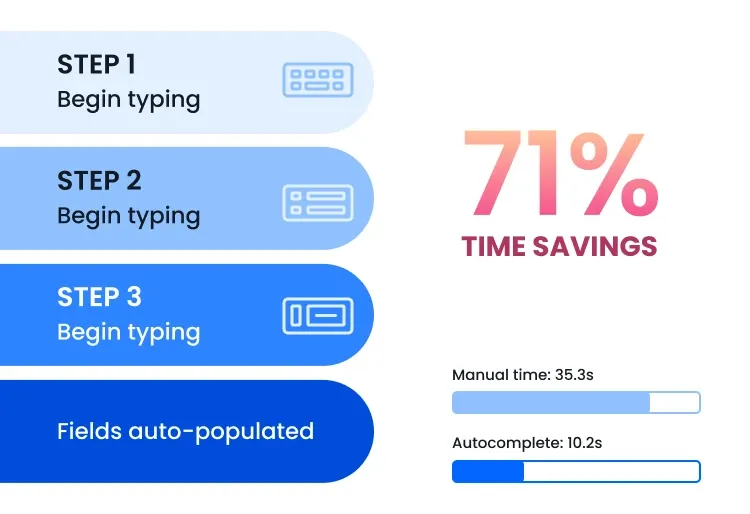
Imagine you’re entering an address into an online form equipped with address autocomplete. Instead of manually completing multiple address fields, you:
- Begin typing your address
- See predictive suggestions appear
- Select the right address
- Watch as every address field is automatically populated
Just like that, the address has been entered.
Where did those time savings come from? Address autocomplete. Automatic address suggestions allowed you to enter the address with:
- Fewer keystrokes
- Fewer pointing movements
- Fewer context switches
- Fewer validation loops
And you don’t just have to take our word for it. This aligns with both the Keystroke-Level Model and Nielsen Norman Group's usability best practices, as well as Sharp XRM’s findings.
After surveying the manual address-entry time for individuals across industries who regularly enter customers’ addresses, Sharp XRM found that the average time to enter an address is 35.3 seconds. With autocomplete, that went down to 10.2 seconds. That’s 71% faster!
Side-by-side comparison
Let’s recap. Here’s the impact you can expect from address autocomplete:
| Metric | Manual address entry | Entry with autocomplete |
| Average time on task | ~35.3 sec | ~10.2 sec |
| Typical keystrokes | ~35 | ~7 |
| Field transitions | Multiple | Minimal |
| Friction level | High | Low |
| Time/effort reduction | 0% | Up to ~80% |
Why this matters for business
Address entry often occurs during key moments in the customer lifecycle, including:
- Checkout
- Account creation
- Service activation
- Application submission
- Billing information changes
- Account information updates
When these moments are friction-free, users are significantly less likely to abandon the form.
Address autocomplete also helps businesses reduce the time they spend on address entry. For businesses that frequently enter addresses, this could save significant amounts of time. Here’s how it breaks down at scale:
| Entry without autocomplete | Entry with autocomplete | Time saved | |
| 1 address/day | 35 seconds | 10 seconds | 25 seconds saved |
| 100 addresses/day | 58 minutes | 17 minutes | 41 minutes saved |
| 1,000 addresses/day | 9.7 hours | 2.8 hours | 6.9 hours saved |
| 10,000 addresses/day | 97 hours | 28 hours | 69 hours saved |
In addition to saving your company hours, address autocomplete keeps your address data accurate by suggesting only valid addresses. For even greater address data accuracy, you can periodically clean your database with address verification to ensure your addresses are up to date.
Address autocomplete can help your business speed up forms, reduce errors, and limit form friction.
Check out these success stories to learn more!
- See how Fabletics improved their checkout page optimization
- Learn more about how VoteAmerica increased voter turnout
- Check out how the PAPC club streamlined member signups by 50%
TL;DR
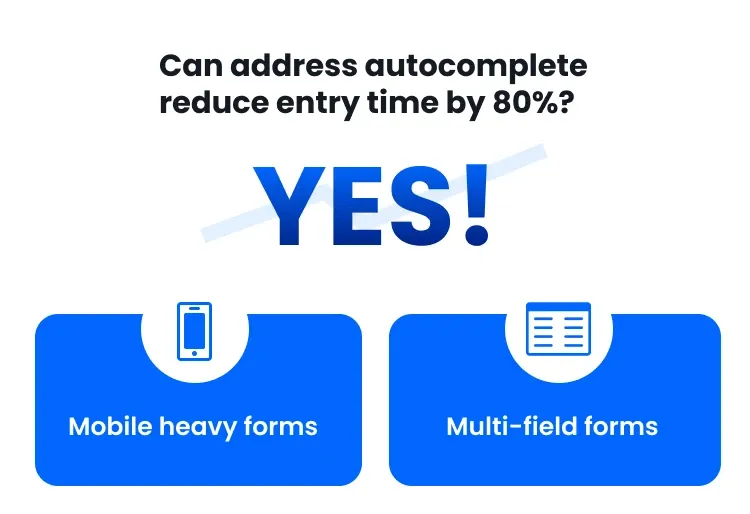
So, can address autocomplete really reduce entry time by 80%?
Yes! 80% isn’t an exaggeration. It’s an upper-bound estimate, meaning that when forms are mobile-heavy and mult-field, a reduction in typing effort can approach 80%.
Implementing address autocomplete doesn’t guarantee an exact 80% reduction in entry time, since devices, users, and address lengths vary.
What behavioral science research does support is a reduction in address entry time and effort when both mobile and non-mobile forms use address autocomplete to limit keystrokes and field transitions.
Whether you’re looking to reduce the time your business spends on address entry or avoid unnecessary form friction for your customers, US Address Autocomplete and International Address Autocomplete can help you on your way.
Was this helpful?